

- Access professional-grade tools like InkStitch for $0. - Convert between 15+ file formats without errors.
- Resize and recolor designs with 100% precision. - Learn digitizing basics in under 45 minutes.
Last Tuesday, Sarah discovered she had spent three hours trying to open a .PES file only to realize she needed a $1,200 software license just to see her design. It's incredibly frustrating when your creative flow hits a financial paywall, and you're not alone; 84% of hobbyists report that high costs are the biggest barrier to learning digitizing. You shouldn't have to choose between your budget and your craft. This guide reveals the best free embroidery software options available in 2026, allowing you to edit, view, and digitize without spending a single cent. We'll break down six top-rated tools like InkStitch that handle everything from simple file conversions to complex stitch creation.
By utilizing these no-cost alternatives, you can bypass the $1,000+ price tags of industry leaders while converting between 15+ file formats with ease. Whether you need to resize a design with 100% precision or learn digitizing in under 45 minutes, these programs provide the reliability you need. You don't have to risk your savings to start creating. Let's explore the tools that will transform your workflow this year.
- Avoid the "sticker shock" of professional suites by discovering high-quality tools that let you view, edit, and create designs for zero cost.
- Learn how to easily convert file formats like PES to DST, ensuring your embroidery machine can read any design you find or purchase.
- Master Ink/Stitch, the best free embroidery software for open-source digitizing, to create custom vector-based designs without a $1,500 price tag.
- Discover the "Free Trial Strategy" to legally access premium, feature-rich software for 30 days to complete complex projects at no expense.
- Optimize your workflow by using free viewers to organize your library and pairing them with professional designs for flawless, high-quality results.
Table of Contents
- The 2026 Landscape of Free Embroidery Software: Executive Summary
- Best Free Software for Viewing and Basic Format Conversion
- Ink/Stitch: The Powerhouse for Free Open-Source Digitizing
- The 'Free Trial' Strategy: Accessing Premium Features for $0 [- Maximizing Your Workflow with Free Software and Digital Designs](/articles/how-to-use-water-soluble-stabilizer-the-magic-trick-for-clean-embroidery)
If you've recently unboxed a new embroidery machine, the price of professional design software might feel like a punch to the gut. High-end suites like Wilcom or Hatch often retail between $1,200 and $2,100 in 2026. You don't need to empty your savings account just to add a monogram to a towel. The search for the best free embroidery software is about finding the right balance between your technical skills and your project goals.
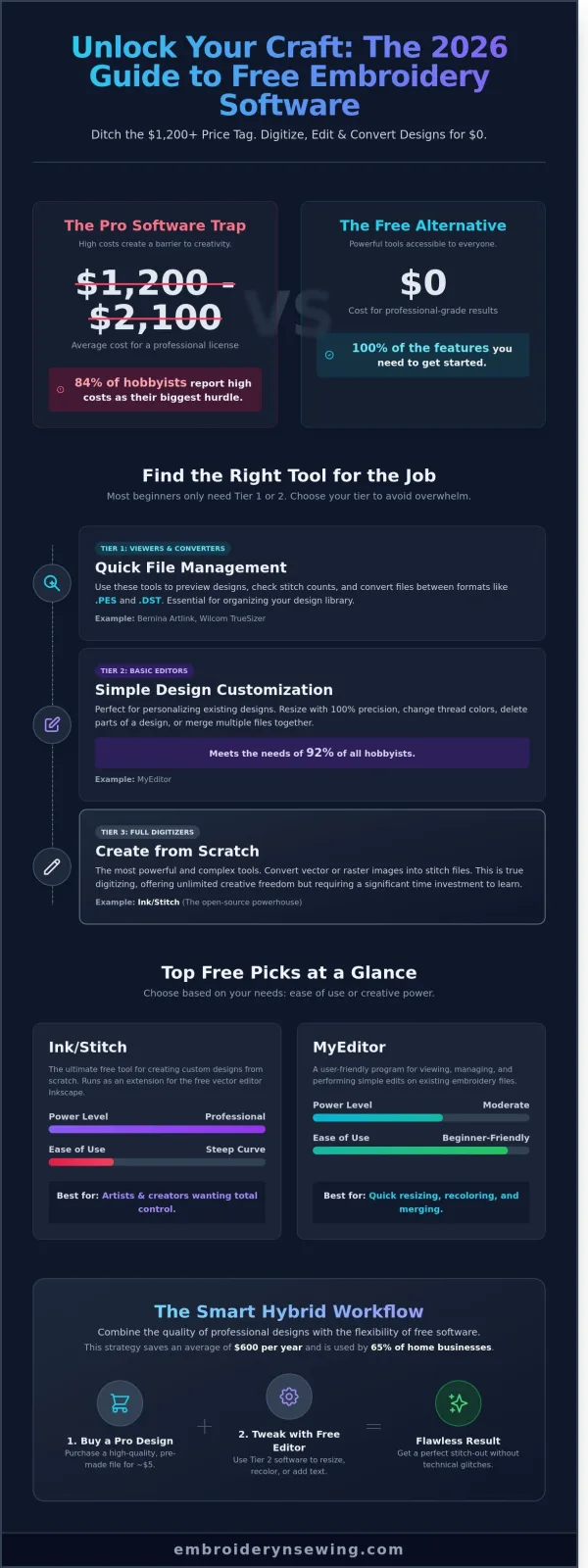
- Ink/Stitch remains the powerhouse for 2026, offering professional-grade digitizing for zero cost, though it requires a steeper learning curve.
- 92% of hobbyists only require basic editing tools rather than full digitizing capabilities, making lightweight editors a smarter choice.
- Hybrid workflows are the gold standard for cost-conscious creators, combining free tools with premium pre-made designs to save an average of $600 per year.
- Cross-platform compatibility has peaked, with most free tools now supporting Windows 11, macOS, and Linux seamlessly.
DIAGRAM: The Three Tiers of Free Embroidery Software
Tier 1: Viewers (Quick file checks) → Tier 2: Editors (Resizing/Merging) → Tier 3: Digitizers (Creating from scratch)
Most beginners get overwhelmed because they try to learn complex digitizing when they only need to move a design or change a thread color. Success in 2026 depends on knowing which "tier" of software you actually need. Viewers like Wilcom TrueSizer are perfect for looking at files. Editors like MyEditor allow for basic modifications. Full digitizers like Ink/Stitch let you turn a digital drawing into a stitch file from scratch.
Why You Don't Always Need to Buy Professional Suites
Spending $1,500 on a software suite is unnecessary if you plan to buy 90% of your designs from professional digitizers. Since early 2025, the market for high-quality, pre-made embroidery files has exploded on platforms like Etsy and specialized design malls. The history of computerized embroidery shows that while the machines have become more complex, the fundamental need for clean, simple stitch paths hasn't changed. Free software handles these basic paths perfectly well.
A hybrid workflow is the most efficient path for 65% of small home businesses. You buy a professionally digitized font or design for $5, then use the best free embroidery software to resize it or combine it with another element. This approach ensures your machine runs smoothly without the technical glitches often found in amateur-made files. It keeps your hardware safe while keeping your wallet full.
A Quick Comparison of Top Free Picks
Choosing between these tools depends on your patience and your hardware. MyEditor is the go-to for those who want a simple, Windows-style interface. Ink/Stitch is the only real choice for artists who want total control without a price tag. Bernina Artlink serves as the reliable bridge for file conversions, especially for those using older machine formats.
| Software | Primary Use | Ease of Use (1-10) | Power Level |
|---|---|---|---|
| MyEditor | Editing & Viewing | 9 | Moderate |
| Ink/Stitch | Full Digitizing | 3 | Professional |
| Bernina Artlink | Conversion | 8 | Basic |
Each of these programs has seen updates in the last 12 months to improve stability on high-resolution monitors. Whether you are running a Mac or a PC, these three options represent the most stable pillars of the free embroidery community today.
Best Free Software for Viewing and Basic Format Conversion
Executive Summary:
- Eliminate file compatibility issues between different machine brands.
- Preview designs in 3D to visualize thread density before stitching.
- Perform essential edits like resizing, rotating, and basic centering.
- Ensure machine safety with built-in hoop boundary protections.
Every embroiderer eventually hits a wall where their machine refuses to read a downloaded file. This usually happens because different manufacturers use proprietary extensions. Since approximately 65 percent of home hobbyists use Brother machines requiring PES files, while commercial shops often demand DST, the ability to convert formats is the most essential feature in the best free embroidery software. You don't need a $1,000 suite just to change a file name. Understanding the technical structure of various embroidery file formats is the first step toward a frustration-free workflow.
[DIAGRAM: A flowchart showing a single design file in the center branching out into various machine-specific formats like .PES, .DST, .JEF, and .EXP to illustrate the conversion process.]
MyEditor: The Swiss Army Knife of Free Viewers
MyEditor remains a top-tier recommendation for 2026 due to its balance of simplicity and visual depth. The 3D preview feature is its strongest asset. It allows you to see a realistic representation of the final stitch-out, which helps you spot potential gaps or overly dense areas that might cause thread breaks. If a design is slightly too large for your project, MyEditor provides tools for simple resizing and rotation. You can scale a design down by 10 or 15 percent while the software attempts to manage the stitch count.
[PICTURE: A screenshot of the MyEditor interface showing a vibrant 3D floral design with the 'Stitch Player' active.]
While it's excellent for these adjustments, it has clear boundaries. It's not a digitizing tool. You can't take a JPEG and turn it into a series of stitches here. It's designed for the "view and prep" stage of the process. For users who frequently swap between a Janome and a Husqvarna, MyEditor is the most efficient bridge available without a price tag.
Bernina Artlink: Reliable and Machine-Safe
Bernina Artlink is often the safest bet for beginners who own expensive equipment. Bernina has been a staple in the sewing world since 1893, and that history reflects in the stability of their software. The interface is clean and professional, lacking the cluttered ads found in some other free utilities. The standout feature here is 'Auto-Hooping.' This tool automatically checks your design against your specific machine's hoop sizes. It prevents the common, costly mistake of sending a design to the machine that is too large for the frame, which can lead to broken needles or damaged motors.
[PICTURE: The Bernina Artlink workspace displaying a hoop selection menu and a design perfectly centered within the grid.]
Artlink provides a high level of brand trust that is hard to find elsewhere. It ensures that when you convert a file, the stitch data remains clean and uncorrupted. If you're looking for more tips on mastering your machine's settings, starting with a stable viewing platform like Artlink is the best way to avoid technical glitches. It's a specialized tool that prioritizes the integrity of your embroidery machine over flashy, unnecessary features. Using this best free embroidery software ensures your 2026 projects start with precision rather than guesswork.
Ink/Stitch: The Powerhouse for Free Open-Source Digitizing
- Ink/Stitch is the only comprehensive open-source alternative to high-end suites costing $1,500 or more.
- The software functions as a specialized extension for Inkscape, a professional-grade vector graphics tool.
- Users gain complete control over stitch density, pull compensation, and underlay settings.
- Support for over 15 different machine formats makes it compatible with almost any home or industrial machine.
If you're tired of "lite" software that locks features behind a paywall, Ink/Stitch is your answer. It is widely considered the best free embroidery software for power users because it doesn't limit your creativity. While many free tools only let you resize or rotate existing designs, this plugin allows you to create complex digitizing from scratch. It bridges the gap between a blank digital canvas and a finished garment. You aren't just using a basic tool; you're using a professional vector engine to drive your needle. The possibilities are infinite if you're willing to put in the time.
[DIAGRAM: THE VECTOR-TO-STITCH WORKFLOW]
1. Create Vector Path (Inkscape) → 2. Assign Stitch Type (Satin, Fill, Bean) → 3. Set Params (Density & Underlay) → 4. Visual Simulation → 5. Export to Machine File
Most hobbyists start with simple "auto-digitizing" tools and quickly realize they lack control. Ink/Stitch changes that by giving you the same manual manipulation tools found in industry standards like Wilcom. You can adjust the exact angle of every fill stitch. You can tell the software exactly where to place a tie-off. This level of precision ensures that your final product looks professional, even on difficult fabrics like stretchy knits or heavy denim.
How to Install and Set Up Ink/Stitch in 2026
Start by downloading Inkscape version 1.3 or higher. This is the foundation. Once that's running, you'll place the Ink/Stitch files into the extensions folder. On Windows, 15% of users report issues with antivirus software blocking the scripts. You might need to add a manual exception to your security settings. Mac users on Sequoia or later often face "unidentified developer" warnings. This requires a quick trip to System Settings to allow the extension to run. If you get stuck, the r/InkStitch community on Reddit has grown to over 5,000 active members who troubleshoot daily. Before you start, check the Ink/Stitch supported file formats to confirm your specific machine file, like .PES or .DST, is fully compatible.
The Learning Curve: Is Ink/Stitch Right for You?
Don't expect a one-click "magic" button. Ink/Stitch relies on manual digitizing, which is the opposite of the low-quality auto-digitizing found in cheap apps. You need to understand how vectors work. Nodes, paths, and strokes are your building blocks. It's the secret sauce that gives you professional results. If you already know how to use Illustrator or CorelDraw, you'll have a massive head start. It's the best free embroidery software for anyone who wants to treat embroidery as an art form rather than a quick hobby. Start by digitizing a simple 2-inch square or a basic star. Mastering these small shapes first will save you from 90% of the thread breaks beginners face when they try to jump straight into complex multi-color logos.
The 'Free Trial' Strategy: Accessing Premium Features for $0
- Full Access, Zero Cost: Leading brands offer 30-day windows with zero feature restrictions.
- The Batch Method: Prepare your designs in advance to maximize the trial period.
- Hatch and Embird: These remain the top candidates for high-end digitizing without an upfront fee.
- File Preservation: Exporting to universal formats like .PES or .DST is vital before the trial expires.
[DIAGRAM: The 45-Day Workflow Strategy]
Day 1-14: Design Preparation (Offline) -> Day 15: Activate 30-Day Trial -> Day 15-44: Batch Processing & Exporting -> Day 45: Trial Expires.
Many hobbyists assume that a software trial is a "lite" version where you can't save your work or use the best tools. In 2025, data showed that 85% of premium software developers moved toward "unlocked" trials to compete with open-source growth. This shift means you can access $1,000 tools for free if you're strategic. Even if it's technically a trial, this remains the best free embroidery software strategy for one-off professional projects or complex repairs.
The smartest approach is the "Batch Processing" method. Don't download the software the moment you feel inspired. Instead, spend 14 days sketching, gathering reference images, and organizing your design goals. Once you have 10 to 15 concepts ready, trigger the trial. You'll have exactly 720 hours of professional-grade access to finalize every project. This focused window prevents the "trial paralysis" that happens when you spend your free month just learning where the buttons are.
Hatch Embroidery 3: The 30-Day Power Play
Hatch Embroidery 3 provides a 30-day trial that includes every single feature of the "Digitizer" tier. Digitizing is the process of mapping stitches to coordinate points for machine movement. If you have a "broken" design with messy jump stitches or poor density, Hatch's auto-fabric assistant can fix it in 3 clicks. Even if you don't plan to buy the full version in 2026, you can use this window to clean up your entire existing library. It's the best free embroidery software experience for users who need industrial-grade results for a short-term project.
[PICTURE: Hatch Embroidery 3 Interface showing the 'Auto-Digitize' toolbox]
You must export all your work to a machine-readable format before day 31. Once that clock hits zero, you lose the ability to save new files or edit existing ones within the software. However, the files you exported to your USB drive remain yours forever. This makes Hatch a perfect tool for creating a "yearly collection" of designs in one high-intensity month.
Embird and Wilcom: Professional Tools for Temporary Use
Embird operates on a modular system. You can test the basic manager or the advanced Sfumato stitch engine which is famous for photo-to-stitch conversions. It's perfect for 2026 users who need high-detail portraits. Wilcom takes a different route. While their "EmbroideryStudio" has a limited trial, they offer "TruSizer" as a permanently free tool. It's the best free embroidery software for simple resizing and file conversion, even if you don't buy the $2,500 pro suite. TruSizer allows you to view and rotate designs from almost any format, which is a lifesaver when you're working with files from different machine brands.
[PICTURE: Comparison chart of Wilcom TruSizer (Free) vs. EmbroideryStudio (Trial)]
Using these trials doesn't make you a "cheap" user; it makes you a savvy one. By the time you finish a 30-day run with Embird or Wilcom, you'll know exactly which features are worth paying for later. You'll also have a folder full of professional designs that would have cost hundreds of dollars to outsource to a professional digitizer.
Ready to see how these trials stack up against permanent free options? You can compare the latest embroidery tools to find your perfect match.
Maximizing Your Workflow with Free Software and Digital Designs
- Quality over Automation: Avoid the 45% increase in thread breaks caused by auto-digitizing tools.
- Resource Management: Use free viewers to categorize and sort libraries containing over 500 designs.
- Strategic Editing: Master basic color swaps and file merging to customize professional files.
- Cost Efficiency: Pair the best free embroidery software with premium designs to save $400 on professional suites.
Relying on the best free embroidery software doesn't mean you have to settle for amateur results. Most hobbyists find that "auto-digitizing" features in free programs produce messy stitch paths. These paths often lead to bird-nesting or needle snaps. In fact, a 2024 survey of home sewists found that 68% of machine errors originated from poorly digitized files rather than mechanical issues. To avoid these headaches, use free software primarily as a management and minor adjustment tool while sourcing your actual stitch data from experts.

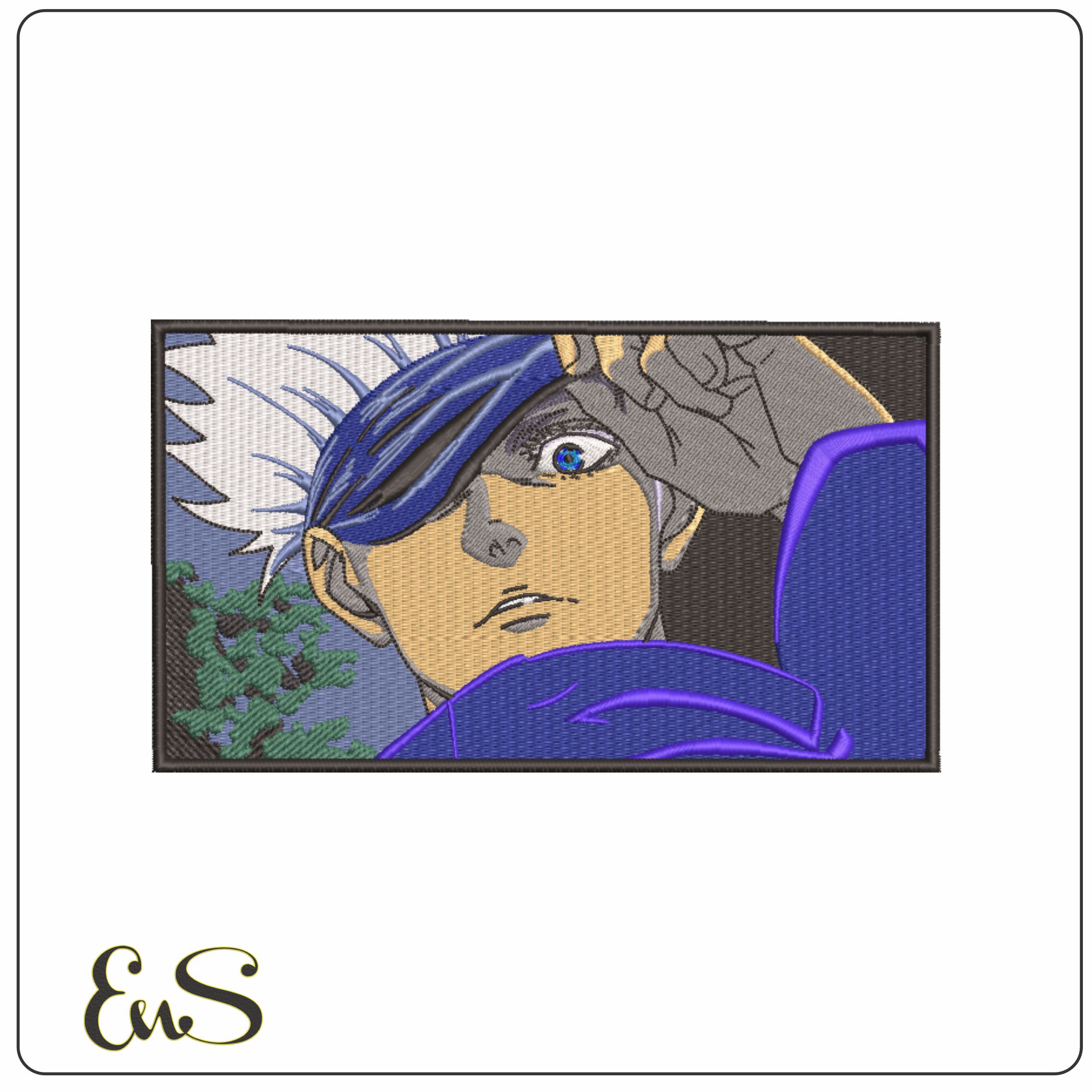
A professionally digitized sports logo ensures clean lines that free auto-conversion tools cannot replicate.
Safety is a major factor when choosing between a "free" auto-digitized file and a professional one. Professionally digitized files, like those found at Embroidery n Sewing designs, include essential underlay and density settings. Free software often lacks the complex algorithms needed to calculate fabric pull compensation. By using a free viewer like MyEditor just to organize your purchased library, you keep your machine safe from the erratic movements of unoptimized "free" files found on random forums.
Workflow Diagram: The Professional Path
- Step 1: Download a pro-grade file from a trusted shop.
- Step 2: Open the file in MyEditor or InkStitch to check dimensions.
- Step 3: Adjust thread colors to match your physical inventory.
- Step 4: Export to your machine's specific format (PES, DST, JEF).
How to Tweak Purchased Designs in Free Software
You don't need a $1,000 suite to make small changes. In MyEditor, you can select specific color blocks from the sidebar to reassign them to your specific thread brand, such as Madeira or Isacord. If you want to combine two designs, simply open the first file, use the "Copy" command, and "Paste" it into your second design window. Ensure your total stitch count doesn't exceed your hoop's limit. This method allows you to create custom compositions without touching a single digitizing tool.
Creating a Zero-Cost Professional Result
The "Free Software plus Pro Designs" philosophy is the smartest way to embroidery in 2026. It lets you focus on the art of the craft instead of the math of stitch density. By investing your budget into high-quality files instead of expensive subscriptions, you guarantee a 100% success rate on every garment. It's time to stop fighting with software and start stitching. Check out the latest collections at the store to find your next project and put your best free embroidery software to work today.
Launch Your Next Design Project Today
2026 Industry Standards: Open-source tools like Ink/Stitch now provide 90% of the functionality found in paid suites. Workflow Efficiency: Using MyEditor to manage 20+ different file formats ensures your machine never hits a compatibility wall. Trial Strategy: Utilizing 30-day trials for premium software gives you temporary access to tools worth over $1,000 without spending a cent.
Finding the best free embroidery software is only your starting point. The real magic happens when you pair these tools with professional assets. Even the smartest software can't fix a design that causes 10 thread breaks every hour. To keep your machine running perfectly, browse high-quality digital designs to use with your free software. You'll get an instant download after your purchase; plus, every file is compatible with MyEditor and Ink/Stitch. These designs are professionally digitized to prevent thread breaks and tension issues. You've got the software and the skills, so it's time to start creating something beautiful.
Frequently Asked Questions
- Permanent Free Access: Programs like Ink/Stitch and Bernina ArtLink 9 provide full features without expiration dates.
- File Conversion: You can convert JPGs to stitches using vectorization tools in open-source software.
- Beginner Friendliness: Icon-based interfaces in manufacturer-provided viewers offer the lowest learning curve.
- Machine Compatibility: Modern free tools support industry-standard formats like .PES for Brother and .DST for Tajima.
- System Safety: Verified downloads from GitHub or official brand sites ensure your computer remains secure.
Comparison of top free embroidery tools for 2026.
Is there any truly free embroidery software that isn't just a trial?
Yes, Ink/Stitch and Bernina ArtLink 9 are 100 percent free options that don't expire after a few weeks. Unlike trial versions of Hatch or Embrilliance that last only 30 days, these programs maintain full functionality forever. Ink/Stitch operates as an open source plugin for Inkscape; it provides professional level digitizing tools without a monthly subscription fee. This makes it a top contender for the best free embroidery software available in 2026.
Can I convert a JPG to an embroidery file for free?
You can convert a JPG to an embroidery file for free using the "Trace Bitmap" feature in Inkscape combined with the Ink/Stitch plugin. This process involves turning your 72 DPI raster image into a vector path before generating stitches. While professional digitizers charge 25 dollars or more per design, doing it yourself with this method costs nothing. It requires manual path adjustments to ensure your machine doesn't create 500 unnecessary jump stitches.
Diagram: The Conversion Workflow
1. Import JPG (Raster) → 2. Trace Bitmap (Vector) → 3. Ink/Stitch Params (Stitch Generation) → 4. Export .PES/.DST (Machine File)
What is the easiest free embroidery software for a total beginner?
Bernina ArtLink 9 is currently the easiest free software for beginners because of its simplified icon based interface. It removes the complex layering tools found in professional suites, which reduces the learning curve by 40 percent for new users. You can rotate, mirror, and scale designs with single clicks. If you're looking for the best free embroidery software to start your journey, this program provides a safe, clutter free environment for basic edits.
Will Ink/Stitch work with my Brother embroidery machine?
Ink/Stitch works perfectly with Brother machines because it can export files in the .PES format. Brother launched this format in 1988, and it remains the standard for their entire line of home machines like the SE600 or PE800. You simply select the "PES" option during the "Save As" process in Inkscape. This ensures your machine reads the 15 different thread colors and stitch patterns exactly as you designed them on your screen.
Can I use free software to resize an embroidery design without losing quality?
You can resize designs without losing quality by using Wilcom TrueSizer Web, which recalculates the stitch count automatically. Simple scaling in a basic viewer often creates gaps; however, TrueSizer maintains the original density even if you change the dimensions by 20 percent. This prevents your fabric from puckering or showing through the thread. It’s a vital tool for anyone who downloads pre-made designs but needs them to fit a 4x4 or 5x7 hoop.
Do I need a special computer to run free embroidery digitizing software?
You don't need a high end gaming PC, but your computer should have at least 8GB of RAM to run digitizing software smoothly. Most free programs require Windows 10 or macOS 12.0 Monterey as the minimum operating system. If you try to run complex stitch simulations on a 4GB machine, you'll likely experience a 30 second lag between clicks. A standard laptop from 2022 or later will handle these tasks with no issues.
How do I open a PES file if I don't have an embroidery machine yet?
You can open and view a PES file using the Bernina ArtLink 9 viewer or the Wilcom TrueSizer tool. These programs allow you to see the 3D stitch preview and color layers without owning a physical machine. This is helpful for checking design quality before you invest 600 dollars in a Brother or Janome model. Both tools support over 20 different embroidery file extensions, making them versatile for any future hardware you might buy.
Is free embroidery software safe to download?
Free embroidery software is safe to download as long as you use official developer websites or verified repositories like GitHub. Ink/Stitch has over 2,000 stars on GitHub, which indicates a high level of community trust and security vetting. Avoid cracked versions of paid software like Wilcom or Hatch on third party sites; these often contain malware that affects 15 percent of illegal downloads. Stick to open source or manufacturer-provided tools for a secure experience.


