You find the perfect embroidery design, load it onto your machine, and then hit the first real question - should you use PES or DST? When people compare pes vs dst formats, they are usually trying to avoid a simple problem that can waste time fast: buying or stitching a file that does not work the way they expect. [For home embroiderers], Etsy sellers, and small apparel decorators, that choice matters more than it sounds. One format may carry extra information your machine can use, while the other may be better for broad compatibility across commercial equipment. If you stitch team gear, baby gifts, boutique blanks, or fandom-based projects, understanding the difference helps you buy the right file the first time and start stitching sooner.
## [PES vs DST formats: the quick difference]
The short version is this: PES is most commonly associated with Brother and Baby Lock machines, while DST is a widely used commercial embroidery format that works across many machine brands. Both are machine embroidery files, but they do not store information in exactly the same way. PES files often include richer design data, such as color sequence information and layout details that home users appreciate. DST files are more stripped down. They focus on stitch commands and tend to be valued for compatibility and reliability, especially in production settings. That does not mean one is automatically better. It depends on your machine, your workflow, and whether you are prioritizing convenience at home or flexibility across multiple commercial setups.
## [What a PES file is best at]
If you use a Brother or Baby Lock embroidery machine, PES is usually the more comfortable format. Many hobbyists and home-based sellers prefer it because it often displays more clearly on the machine screen and may preserve color changes in a more organized way. That extra detail makes project setup easier. When you are stitching a children’s character, floral monogram, sports-inspired design, or [seasonal applique], seeing the intended color order can save guesswork. For beginners especially, that matters. You want to spend your time choosing thread colors and hooping your blank, not decoding a file. PES also tends to feel more user-friendly in home embroidery workflows. If your machine reads it natively, you may get a smoother import experience and fewer surprises once the design is on screen. For many crafters, that is reason enough to choose PES whenever it is available. Still, PES is not universal. If you move files between different brands or use a commercial shop setup alongside your home machine, compatibility can become the weak spot.
[When PES makes the most sense]
PES is usually the right pick when your main machine is Brother or Baby Lock, you want visible color sequence information, and you are buying ready-to-stitch designs for direct use rather than heavy production editing. It is especially practical for hobbyists making gifts, personalized apparel, nursery items, tote bags, and small-batch seller inventory. If your goal is instant download, load the file, and start stitching, PES often fits that workflow well.
## [What a DST file is best at]
DST has been around for a long time and remains one of the most widely accepted embroidery machine formats in commercial environments. It is commonly associated with Tajima, but many other machines can read it too. That broad acceptance is the main reason DST stays popular. If you run multiple machines, outsource production, or work with commercial decorators, DST can be the safer common language. It is often the format people send when they want the best chance of the file opening across different systems. DST files are more minimal, though. They usually do not carry the same level of color and object information that some home-machine formats do. That means your machine or software may not show the design as neatly, and thread color order may need more manual attention. For production shops, that trade-off is often fine. They are used to assigning thread colors manually and focusing on stitch performance. For a home user, especially a newer one, [DST can feel less friendly.]
When DST makes the most sense
DST is a strong choice when machine compatibility matters more than extra display data. If you decorate caps, uniforms, team apparel, shop orders, or repeat-run logo work on commercial equipment, DST is often the practical option. It is also useful when you share files between systems and do not want to guess whether a more brand-specific format will open correctly.
## [PES vs DST formats for editing and conversion]
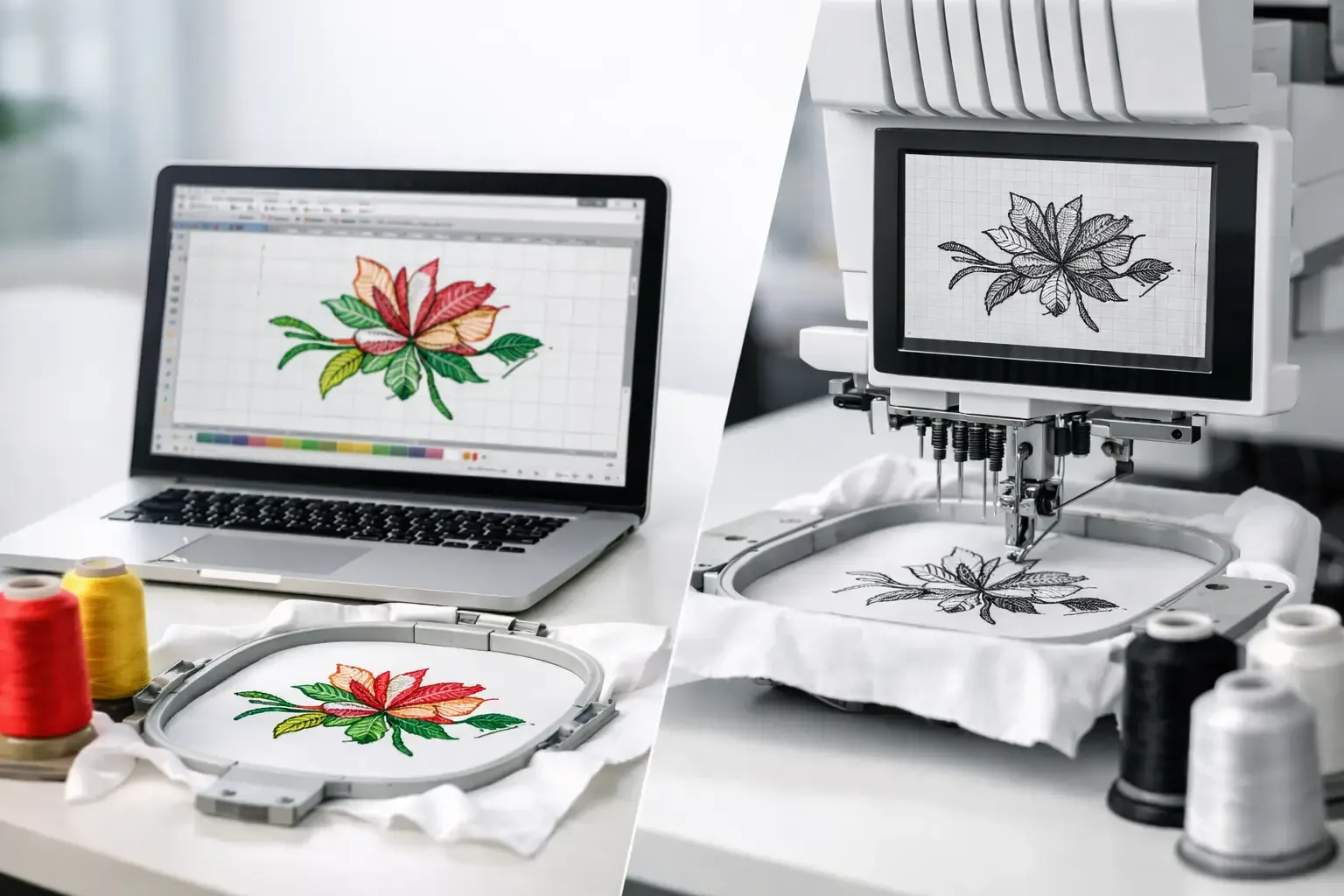
This is where many buyers get tripped up. Neither PES nor DST is the same as an original editable [digitizing file]. They are machine file formats meant for stitching, not for full redesign. You can [resize, convert, or tweak] them in embroidery software to a point, but major editing is always limited. Between the two, PES may preserve a bit more information that helps with organization inside compatible software. DST is simpler and often loses more of that context. Once a design has been flattened into stitch data, editing becomes less flexible no matter which file you start with. That is why conversion is not always clean. A PES file converted to DST may stitch fine, but you can lose color details or machine-specific settings. A DST file converted to PES does not magically become richer just because the extension changed. The underlying stitch file is still what it is. If you buy designs regularly, the best move is simple: choose the format your machine reads natively whenever possible. Conversion should be a backup plan, not your first plan.
How machine compatibility affects your choice
The most important factor in pes vs dst formats is still your machine brand and model. That comes before convenience, before editing, and before personal preference. If you own a Brother or Baby Lock machine, PES will often be the easiest fit. If you use a commercial machine or a mixed-brand production environment, DST may be more dependable. Some machines can read both, which gives you flexibility, but even then one format may display better or require less setup than the other. Before buying any design, check your machine manual or format list. That quick check prevents the most common mistake in digital embroidery shopping: choosing a file based on design style alone and ignoring compatibility. For marketplaces with a broad catalog, this matters even more. When you are shopping across sports, anime, florals, kids’ themes, flags, fonts, and seasonal files, it is easy to focus on the artwork and forget the format. The best design is only useful if your machine can stitch it smoothly.
Which format is better for beginners?
For most beginners using home embroidery machines, PES is easier to live with if their machine supports it. The extra visual and color information can reduce confusion and make the stitching process feel more organized. DST is not hard, but it expects a little more confidence. You may need to verify color stops manually or rely more heavily on your software and machine knowledge. If you are just getting comfortable with hooping, stabilizers, and thread choices, that added layer can be annoying. A beginner does not need the most universal format. They need the format that gets them from purchase to finished project with the fewest problems.
Which format is better for selling stitched products?
If you sell finished embroidered items rather than digital files, your answer depends on scale. For small home-based sellers using one compatible machine, PES can be ideal because it keeps setup simple. You can move quickly from instant download to stitched inventory. For growing shops handling repeat orders, multiple operators, or commercial equipment, DST often becomes more useful. Its compatibility across production systems makes it easier to standardize jobs, especially for logos and apparel decoration. That is why there is no universal winner. Boutique baby blankets, fandom sweatshirts, and monogram gifts may fit perfectly into a PES workflow. Team polos, caps, and higher-volume shop orders may lean toward DST.
The smarter way to choose between PES and DST
Choose PES if your machine prefers it, you want a more guided home-user experience, and you value seeing cleaner design and color information on screen. Choose DST if you need broad compatibility, use commercial equipment, or share files across different machine brands. If a design is offered in both, that is even better. You get the flexibility to match the file to your setup instead of forcing a conversion later. That is one reason many buyers prefer large embroidery marketplaces with category depth and multiple format options - you can shop by theme without giving up practicality. At Embroidery n Sewing, that kind of variety matters because customers are not all stitching the same way. One buyer wants a fast PES file for a Brother machine and a weekend gift project. Another needs a DST version for apparel production. Both are trying to solve the same problem: get the right design, in the right format, right away. When you are choosing between PES and DST, think less about which one sounds more advanced and more about which one makes your next project easier. The best format is the one that lets you stop troubleshooting and start stitching.