Ursula Embroidery Designs: How to Find the Right Machine File
The Ursula image that catches your eye may not be a file your embroidery machine can use. Searching for ursula embroidery designs can bring up machine embroidery files alongside cross-stitch patterns and other artwork, so the preview alone isn’t enough to tell whether a listing fits your project.
It’s easy to spend time sorting through unrelated results when you want a design that matches your idea. This guide explains how to identify machine-ready files, check formats and dimensions against your machine and project, and assess listings when a particular character design isn’t shown. A few practical checks can help you find a suitable downloadable design without commissioning custom digitizing.
Key Takeaways
- Use the listing details, not just the character image, to determine whether a pattern is a machine embroidery file. [
-
Start with your project, then compare the design’s](/articles/complete-guide-to-embroidery-file-formats-for-all-machines) stated file details and dimensions with your machine and placement needs. [
-
Search for ursula embroidery designs](/articles/choosing-the-best-embroidery-thread-a-complete-guide) by character or theme, and review each listing before choosing a file.
-
If you don’t find an exact match, explore related entertainment or cartoon categories without assuming they include the design you want.
Table of Contents
Ursula Embroidery Designs: Identify a Machine-Ready Pattern
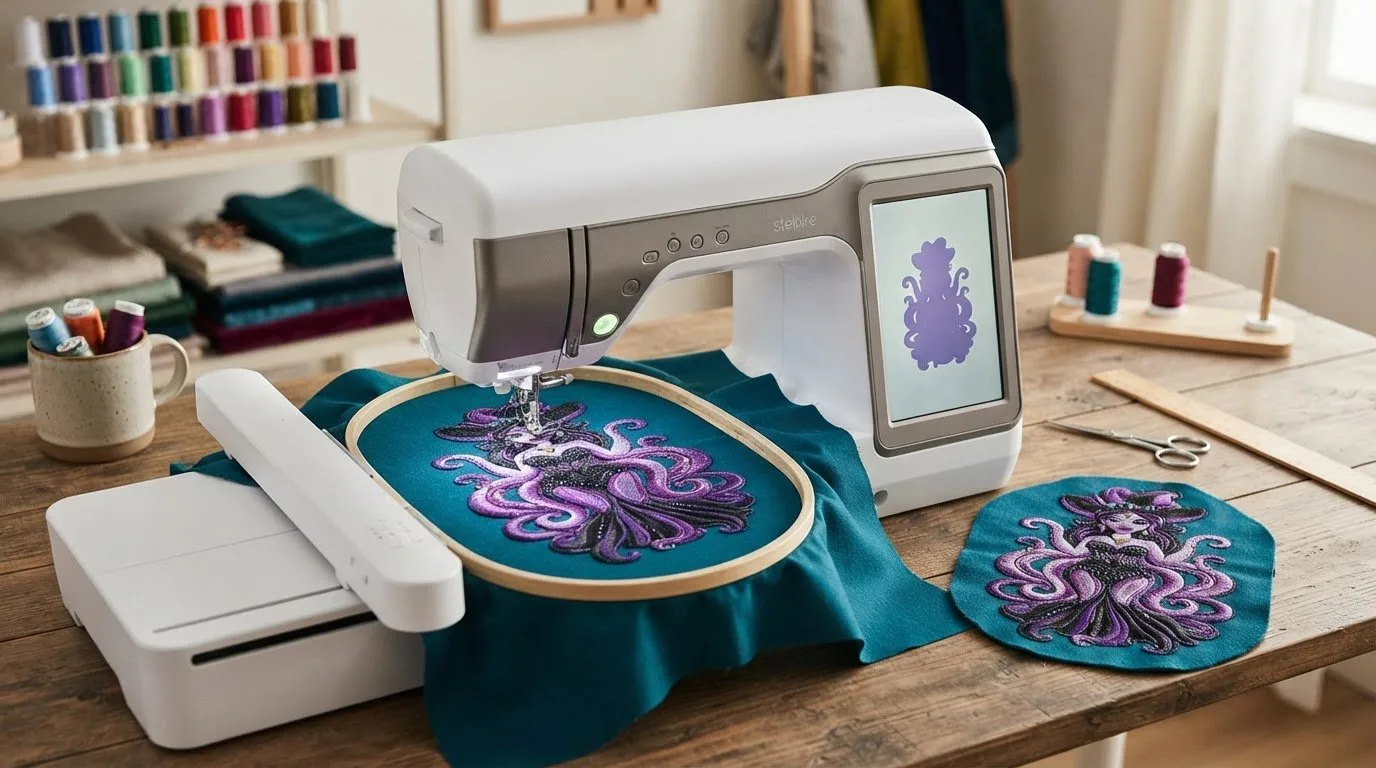
An Ursula machine embroidery design is a digital stitch file that gives compatible embroidery equipment instructions for stitching a motif onto fabric. It is made for machine stitching, not simply for viewing or printing. The process behind computerized machine embroidery translates a design into stitches the equipment can sew, so the file type matters as much as the image.
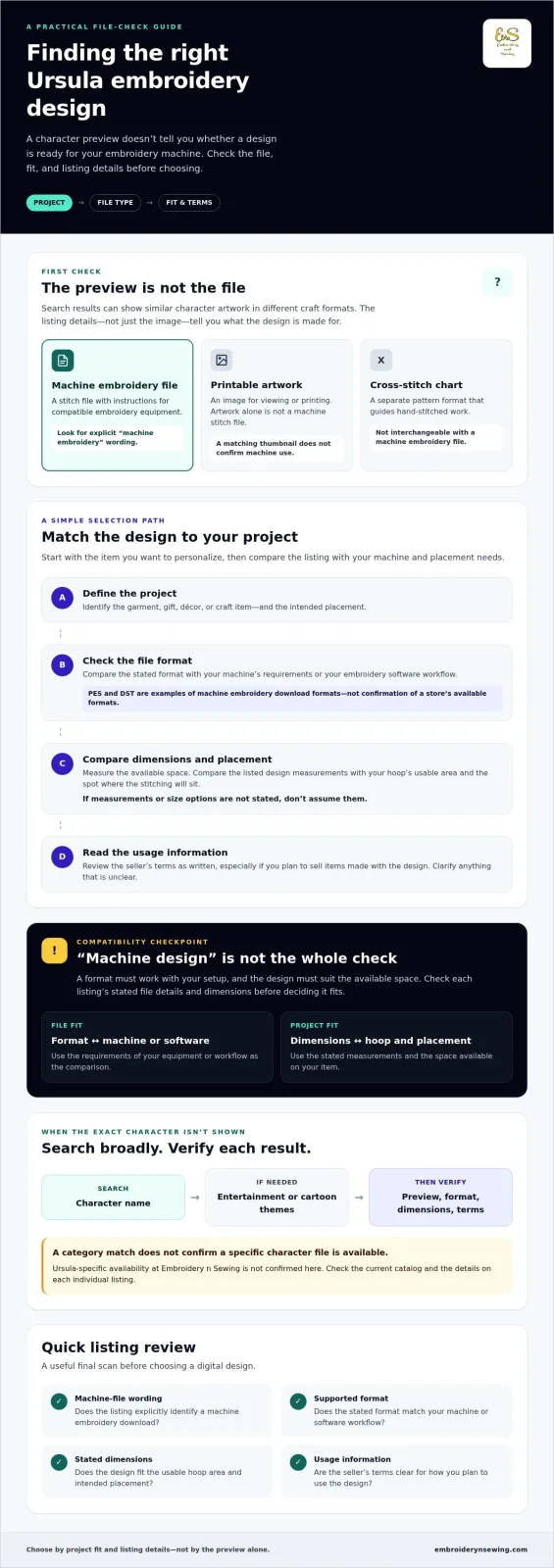
Search results can mix several craft formats under similar character keywords. A character image may be visual inspiration, while a cross-stitch chart guides hand-stitched work. Neither is interchangeable with a machine embroidery file. Before choosing among digital embroidery design categories, check whether a listing specifically identifies a machine embroidery download. Ursula-specific availability at Embroidery n Sewing must be confirmed in the current catalog.
How can you tell a machine embroidery file from a pattern image?
Look for explicit wording such as “machine embroidery” and downloadable file details, rather than relying on a thumbnail or character name. Formats such as PES or DST are examples of machine embroidery downloads, but they don’t confirm which formats a particular store provides. Check the individual listing for its supported formats and other file details before purchasing.
A stitch file contains instructions for the machine; a printable image is artwork, and a cross-stitch chart is a separate pattern format. If a listing doesn’t clearly state that it’s a machine embroidery file, pause and verify before buying. This check can prevent choosing a design that looks right but isn’t intended for your equipment.
How to Choose an Ursula Embroidery Design for Your Project
Start with the item you want to personalize. A design for a small area on a gift may need a different scale and level of detail than one planned for a larger décor piece. Measure the available space, decide where the stitching will sit, and consider whether the artwork’s detail suits that placement. This gives you a useful starting point when comparing ursula embroidery designs.
Use this sequence to assess each option:
-
Define the project: Identify the garment, gift, décor, or craft item and the intended placement.
-
Inspect file details: Check the stated format against your machine’s requirements or the embroidery software in your workflow.
-
Check dimensions: Compare listed measurements with the available hoop area and placement. Don’t assume a design comes in other sizes if they aren’t specified.
-
Review usage information: Read the seller’s terms as written, and clarify any uncertainty before downloading.
Which listing details should you check before downloading?
Compatibility depends on the file and your setup, so don’t assume a format will work just because a listing calls it a machine design. Check the listed format against your machine’s requirements or software workflow. Then compare the design’s stated dimensions with your hoop’s usable area and the space available on the item. If measurements or size options aren’t listed, don’t infer them.
Usage terms can also vary by seller. Review the listing’s wording, especially if you plan to sell items made with the design, and clarify anything that is unclear. For general background on copyright law, consult the U.S. Copyright Office, and rely on the seller’s stated terms for the specific file. To compare digital themes, browse embroidery design categories, then check each listing for project-specific details.
![Ursula embroidery designs]
Where to Find Ursula Embroidery Designs and What to Do Next
Search a digital catalog by character name first. If you don’t see a suitable result, try broader terms related to entertainment or cartoons. Browsing a category can help you discover related designs, but a general category match doesn’t confirm that an Ursula file is available. Check the current listing’s preview and machine-file details before deciding it fits your project.
Embroidery n Sewing offers downloadable designs across a range of categories, though Ursula-specific availability isn’t confirmed. Browse the embroidery design categories to see the themes currently listed. The site’s digital embroidery design articles offer additional context. For a historical perspective on the sewing technology behind machine embroidery, the Smithsonian’s digitized publication explores its invention and development.
What if the exact Ursula design is not listed?
Try nearby entertainment or cartoon categories, or consider another design that suits your project. Choose only from designs currently displayed in the catalog, and don’t assume a category label means a particular character file is available. Listings can differ, so review each one’s stated format, dimensions, and usage information before purchasing.
If you’re comparing themes, browse downloadable embroidery designs and check the details on any listing that interests you. Reviewing those details helps ensure the file matches your project, not just your search phrase.
Choose a Design That’s Ready for Your Project
The right ursula embroidery designs listing needs to be more than a good-looking image. Confirm it’s a machine embroidery file, check the stated format and dimensions against your setup, and read the seller’s usage information before you buy. These checks help you avoid confusing machine files with printable artwork or cross-stitch patterns.
Ursula-specific availability in the current catalog isn’t confirmed, but exploring related themes may give you other ideas. Embroidery n Sewing offers a broad, searchable catalog of digital embroidery designs across multiple themes. Downloadable files provide a way to get started without waiting for custom digitizing. Review each listing to make sure it suits your machine and project.
Ready to explore available themes? Browse downloadable embroidery designs and find inspiration for your next project.
Frequently Asked Questions
Can I use any Ursula embroidery design with my embroidery machine?
No. Ursula embroidery designs need to be offered as machine embroidery files in a format your machine or embroidery workflow supports. Before downloading, check the listing’s stated format and dimensions, and confirm they suit your setup. Don’t assume compatibility or extra size options if the seller hasn’t provided those details. Ursula-specific availability should also be confirmed in the current catalog.
How do I choose an Ursula embroidery design for a garment or gift?
Choose a design based on the item, available stitching area, and intended placement. Compare the listing’s stated dimensions with the space you plan to embroider, and consider whether the design’s level of detail suits that area. Then verify the file format and read the seller’s usage information so your selection fits both the project and your workflow.
Are Ursula embroidery designs the same as cross-stitch patterns?
No. A machine embroidery design is a digital stitch file that compatible embroidery equipment uses to stitch a motif. A cross-stitch pattern is a separate guide for creating stitches by hand. A character image may provide inspiration, but it isn’t automatically either kind of pattern. Check the listing to confirm which format it provides before choosing it.