# Dodge Embroidery Design: Choose the Right Digital File for Your Project
Choosing a Dodge embroidery design is about more than finding a striking automotive motif. The design also needs to fit your embroidery machine, hoop, and project area. Checking these details before you download helps you pick a file that suits both your setup and the item you want to personalize.
Start with the look you have in mind, then compare the design’s dimensions and file format with your machine’s requirements. This guide explains how to choose a motif, plan its placement, and avoid common sizing and compatibility mistakes. Embroidery n Sewing offers downloadable machine embroidery designs across a range of themes, including automotive and car-logo designs, so you can find inspiration and get started without commissioning custom digitizing.
Key Takeaways
- Decide whether an emblem, text treatment, or another automotive motif best suits your project.
- Match the design’s visual scale and placement to the garment, accessory, or décor item you have in mind.
-
For a dodge embroidery design, compare the file format and dimensions with your machine and project area.
-
Explore automotive and car-logo designs to find a fitting motif and get your project underway.
Table of Contents
-
What to Look for in a Dodge Embroidery Design Before You Choose
-
How to Check a Dodge Embroidery File Against Your Machine and Project
-
Find a Dodge-Themed Design and Turn It Into Your Next Embroidery Project
What to Look for in a Dodge Embroidery Design Before You Choose
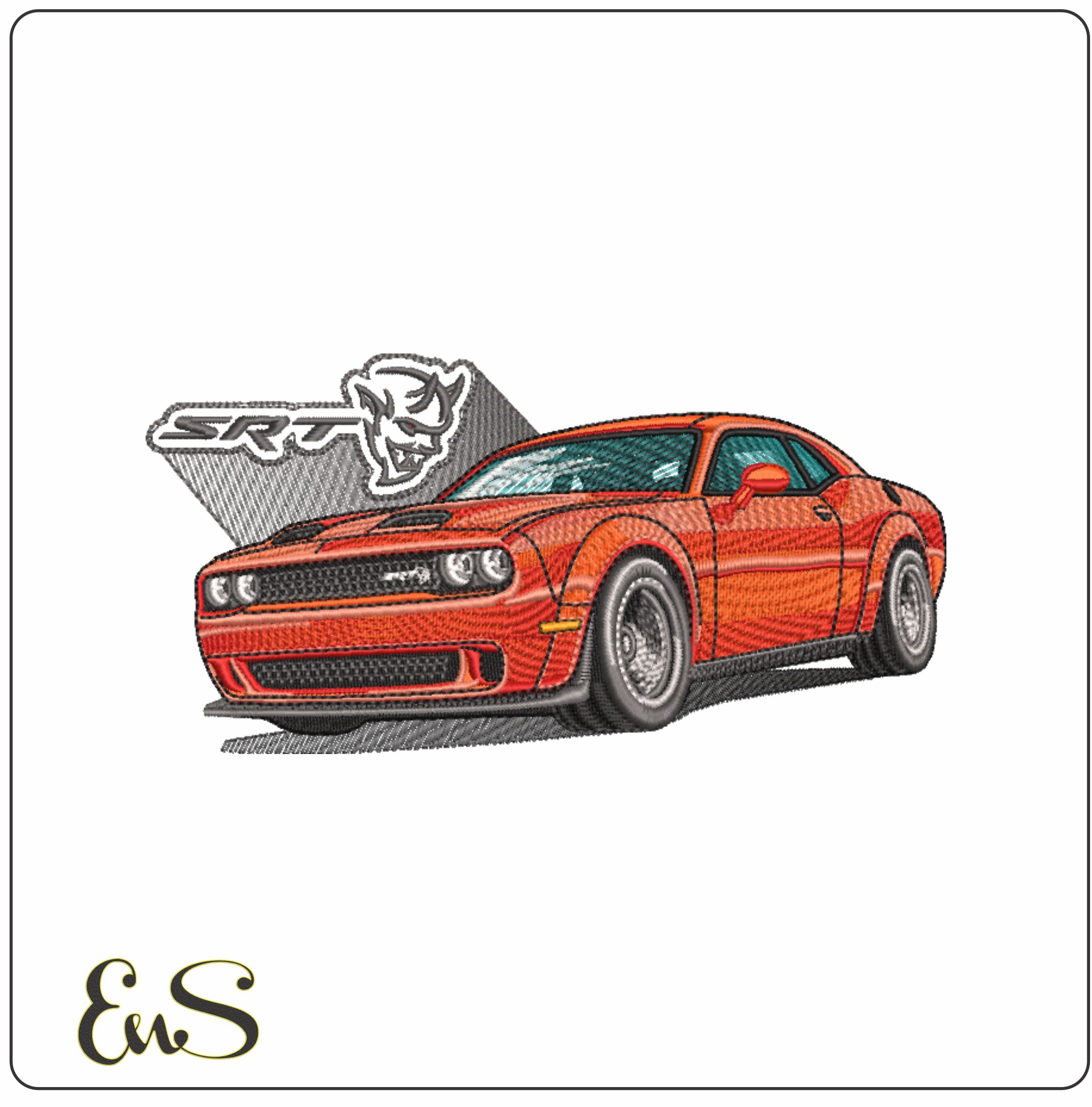
Begin with the visual style. An emblem makes a compact focal point, while lettering puts a name or phrase first. A vehicle silhouette or another automotive motif can fill a broader area. If you want to explore Dodge’s history and branding before choosing a look, see the History of the Dodge brand.
A digital machine embroidery design is a file that guides an embroidery machine as it stitches a motif. It is not a finished patch or embroidered item. You choose the project item and create the physical result with your machine.

Consider the item’s shape and usable embroidery area. A chest or sleeve often has less room than a tote or cushion, so a compact motif may be easier to place. For a gift, decide whether you want the design centered or positioned as a smaller accent. If you’re making several team items, a consistent motif and placement can help them look coordinated. Décor and craft projects may offer more space, but unusual shapes still need careful positioning.
Before choosing a dodge embroidery design, lay out the item and measure the area where you plan to stitch. Compare that space with the design’s dimensions, allowing room around seams, closures, and other details. A narrow or curved area may suit a small emblem or text treatment better than a wide vehicle image. A larger, flatter area can accommodate a more expansive motif.
Browse automotive and car-logo designs to compare visual styles, then narrow your choice by how the motif will look on the finished item. Considering the subject, scale, and placement together helps you select a design that feels balanced rather than crowded or lost in the available space.
## How to Check a Dodge Embroidery File Against Your Machine and Project
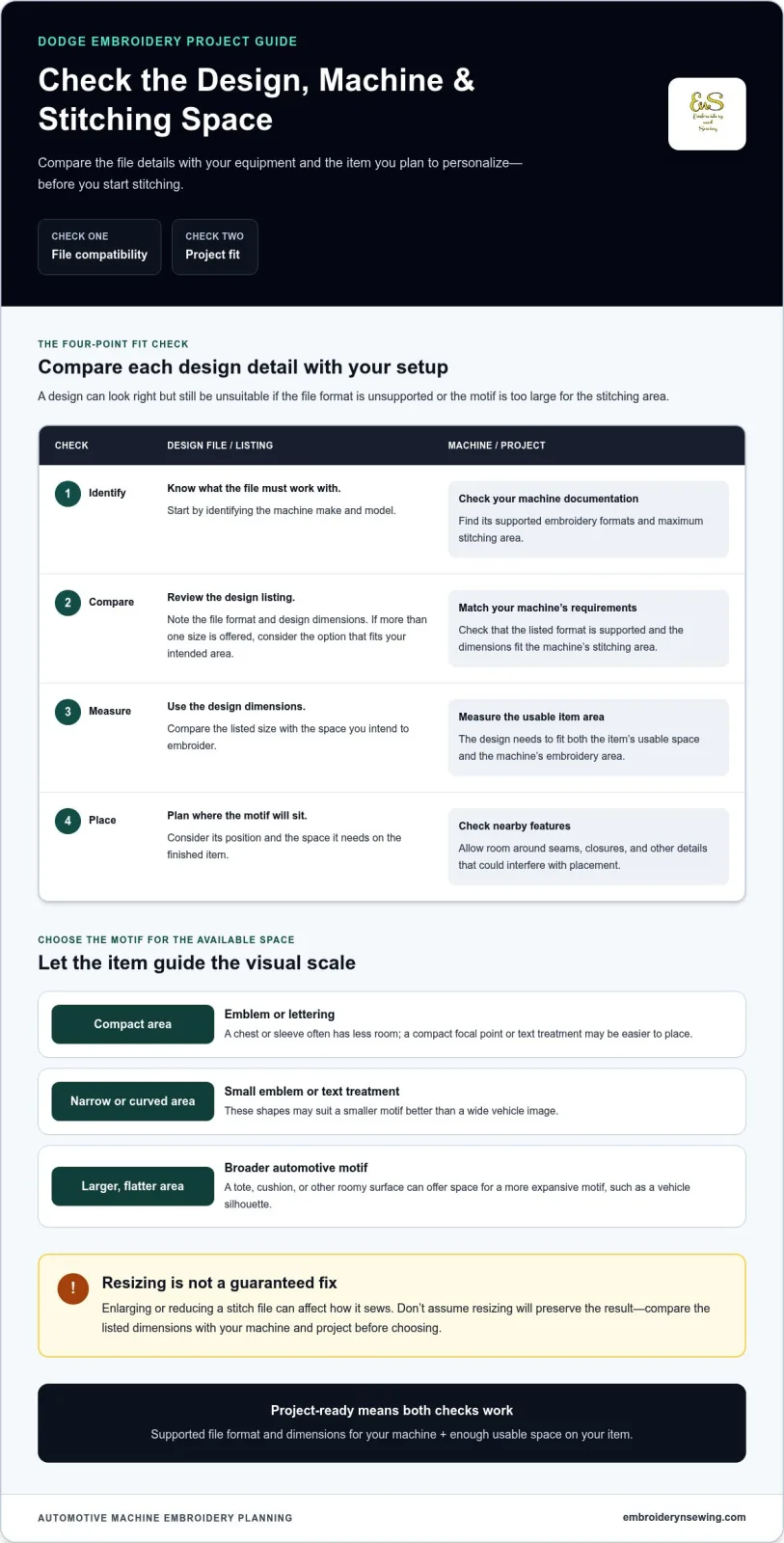
A design may suit your project visually but still be a poor fit if your machine cannot read the file or the design is larger than the stitching area. Check these details before you start:
1. **Identify your machine.** Note its make and model, then consult its documentation for supported embroidery file formats and maximum stitching area.
-
Review the design details. Compare the format and dimensions provided for the file with your machine’s supported requirements. File compatibility can vary by machine, so check the specific details rather than relying on a general assumption.
-
Measure the project area. Check the usable space on the item and the machine’s embroidery area. The design needs to fit both.
-
Plan placement. Mark where the design will sit and check its distance from seams, closures, and other features that could interfere with the placement.
Use the listing details to make a project-ready choice
For a dodge embroidery design, match the file format and dimensions shown in its listing to your machine and project. If a design is offered in more than one size, choose the option that fits the intended area. Enlarging or reducing a stitch file can affect how it sews, so don’t assume resizing will preserve the result.
For more project inspiration, explore embroidery patterns for machine projects. If you’re using brand-inspired artwork, the U.S. Copyright Office provides general information about copyright. You can also browse the embroidery design categories to explore automotive and other themes for your next project.
Find a Dodge-Themed Design and Turn It Into Your Next Embroidery Project
Start with the automotive look you want, then explore car and car-logo designs for a motif that fits your idea. Comparing the artwork in the listings helps you choose a visual direction, whether you’re planning apparel, a gift, an accessory, or décor. A focused search makes it easier to go from a general interest in cars to a design that works for your project.
Browse by theme, then prepare the project
Before choosing a dodge embroidery design, decide what you want to personalize and where the motif will go. Measure the usable area and consider the item’s shape. A small, defined space may call for a compact design, while a wider surface gives you room to consider a larger motif. Knowing the placement first makes it easier to compare the design dimensions with your plan.
Use browse embroidery design categories to explore the collection by theme. Once you find a design that fits your idea, compare its listing details with your machine’s requirements and the space you’ve measured. This final check helps you choose a file that’s ready for the project you have in mind.
Downloadable machine embroidery designs provide a direct way to begin a project without commissioning custom digitizing. Choose a design that suits your creative goal and equipment, then bring it to life with your own stitching. Explore the available digital embroidery designs to find a theme for your next project.
Bring Your Next Automotive Embroidery Idea to Life
A well-chosen Dodge embroidery design can add a personal automotive touch to a garment, gift, or décor project. Let the item and its usable space guide your choice, then use the listing details to confirm the file suits your machine. Embroidery n Sewing’s category-rich collection includes automotive designs alongside sports, seasonal, nature, and other themes. Downloadable files give you immediate access to ideas for your next project.
Ready to find your next design? Browse embroidery design categories and choose a theme that sparks your creativity.
Frequently Asked Questions
Is a Dodge embroidery design a physical patch or a digital file?
It’s a digital machine embroidery file, not a finished patch or embroidered item. The file provides the stitching design for a project, and you create the physical result with your embroidery machine and chosen item. Downloading a design does not provide a ready-to-attach patch; it gives you artwork to stitch onto a project of your own.
Can I use a Dodge embroidery design with any embroidery machine?
No, compatibility isn’t universal. Compare the format and dimensions in the design listing with your machine’s supported file types and stitching area before you choose. A design may fit the project surface but still be unsuitable if your machine cannot read its format. Check the file and machine requirements together.
Can I resize a machine embroidery design after downloading it?
Resizing may change how the stitches form, so don’t assume an enlarged or reduced file will stitch as intended. Start by choosing a size suited to your project. If you need a different size, use appropriate embroidery software and review the adjusted design before stitching. Testing it on similar fabric can help you assess the result.
What projects can I personalize with a Dodge-themed embroidery design?
You can use a suitable design to personalize items such as a jacket, tote, team garment, cushion, or handmade craft. Consider the fabric and item construction when planning placement, especially near seams or thick areas. A dodge embroidery design can add an automotive detail to your project, while the finished look will depend on the chosen artwork and materials.