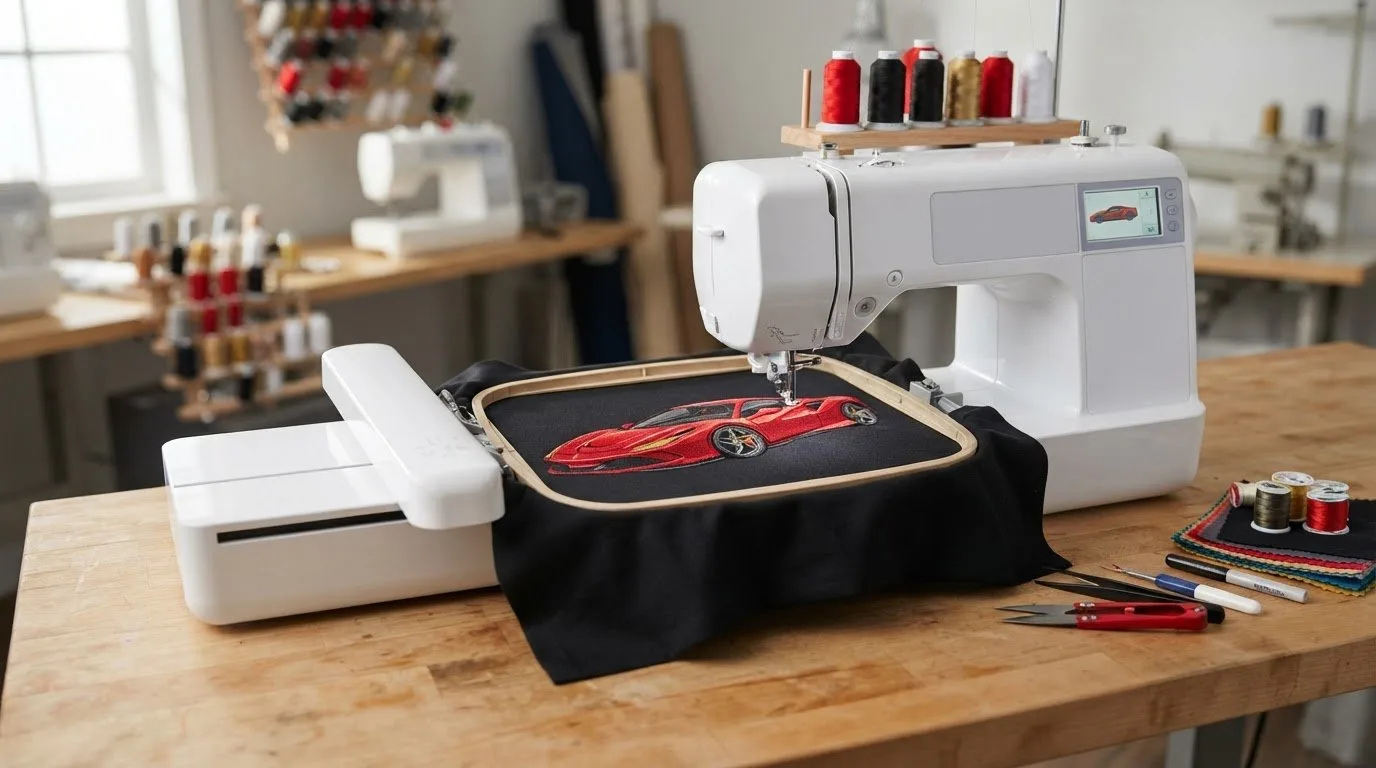

A successful Ferrari embroidery design needs to suit more than your visual idea. Check that the motif fits the item, hoop, and embroidery machine, and that its details will remain clear at the size you plan to stitch. A design that looks sharp in a preview may not work as well when scaled down for a small placement.
Start with the project you want to personalize, then compare the design’s appearance, listed file format, and dimensions with your setup. This guide covers how to assess those details and browse automotive and car-logo designs for a downloadable option. A ready-made motif can help you get started without commissioning custom digitizing.
Key Takeaways
- Choose a Ferrari embroidery design for its visual style and how well its shapes suit your project.
Table of Contents
-
What makes a Ferrari embroidery design work for your project?
-
From digital design to a finished Ferrari-inspired embroidery project
What makes a Ferrari embroidery design work for your project?
A Ferrari-inspired embroidery design is a digital motif intended for stitching with an embroidery machine. It might use racing colors, a streamlined silhouette, or sports-car details to create an automotive look. Those visual cues describe a style, not an official connection with Ferrari. For context on how the brand’s image has evolved, explore Ferrari's history, design, and engineering.
A visual concept and a machine-ready file are not the same thing. A picture or logo may look right for your project, but the embroidery file also needs stitch instructions that your machine can read. When comparing a Ferrari embroidery design, look for the digital file details as well as the preview.
Which project suits an automotive embroidery motif?
Think about who will use or receive the item and how the design will be seen. A small automotive accent can suit personal apparel or a gift for a car enthusiast. A larger placement can make a bolder racing-inspired motif more visible on a jacket, team-style item, or craft project. For more theme ideas, this digital embroidery designs guide can help you explore options.
Next, measure the space where you plan to stitch. A larger area can accommodate more visual detail, while a small placement usually works better with a simpler silhouette. Consider viewing distance, too. A motif intended to stand out across a room needs clear, recognizable shapes, while a subtle garment accent can be more understated. Matching the design’s complexity to the placement helps keep the finished embroidery balanced and easy to read.
How to choose a Ferrari-inspired machine embroidery design
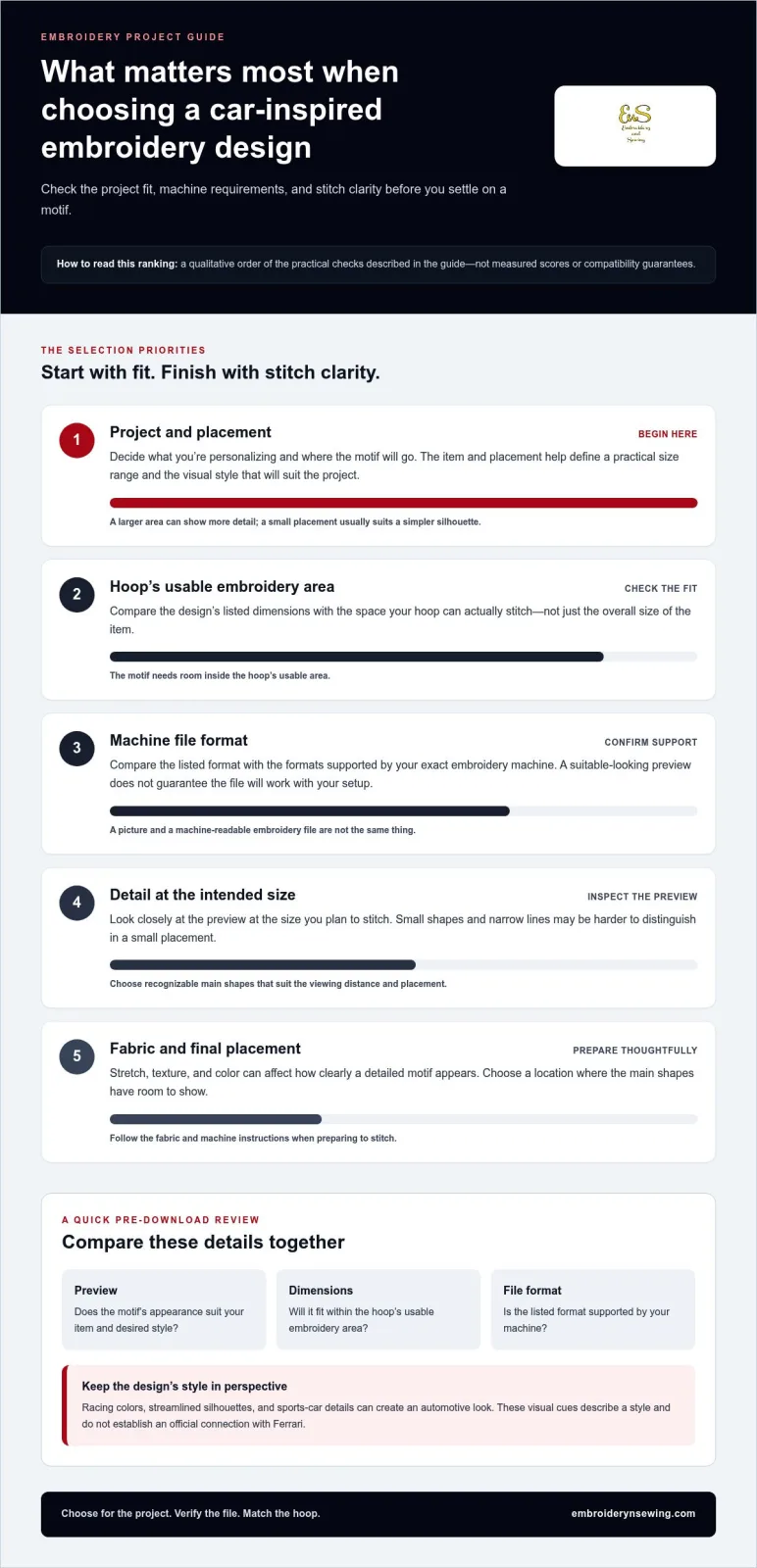
Choose for your project first, then compare the available designs. Use this checklist before downloading:
- Identify the item and placement. Decide what you’re personalizing and where the motif will go. This gives you a practical size range and helps narrow the visual style.
- Check the file format. Compare the format listed for the design with the formats your exact embroidery machine supports. A suitable preview does not guarantee the file will work with your setup.
- Compare the dimensions with your hoop. Check that the design fits within the hoop’s usable embroidery area, not just the overall item.
Review the preview and file details together. The preview helps you judge the overall look, while the listed dimensions and format help you assess fit. For a Ferrari embroidery design with fine automotive details, examine the preview at the intended size. Small shapes and narrow lines may be harder to distinguish when a motif is stitched in a small area.
Check file compatibility and hoop fit before you begin. Don’t assume that a design can be resized without affecting how its details stitch.
Will the design fit your machine, hoop, and fabric?
Start by comparing the listed file format with your machine’s requirements. Then check the design dimensions against the hoop’s usable embroidery area. Consider the fabric and placement as well: stretch, texture, and color can affect how clearly a detailed motif appears. Choose a location where the main shapes have room to show, and follow the fabric and machine instructions when preparing to stitch.
If you’re new to the process, the machine embroidery beginner’s guide can help you understand the basic workflow. Once you know what your machine and hoop can accommodate, browse the automotive and car-logo design categories for a downloadable motif that fits your project.
![Ferrari embroidery design]
From digital design to a finished Ferrari-inspired embroidery project
After settling on a visual direction, work through the file and project preparation before stitching. A ready-made digital design offers a practical way to explore an automotive motif without starting from a blank concept or commissioning custom digitizing. Choose a design that fits your item, machine, and desired look.
Instant access to a downloadable design lets you move from inspiration to project preparation without waiting for custom digitizing.
-
Browse automotive designs. Explore car-themed motifs and compare their visual styles with the item and recipient in mind.
-
Review the file details. Use the preview, dimensions, and listed file format to assess whether the design suits your machine and project.
-
Download and transfer. Save the digital file, then transfer it to your embroidery machine using the process supported by your setup.
-
Prepare the project. Confirm the item and placement, then prepare the fabric and machine according to their instructions before stitching.
Where to browse automotive embroidery designs
Automotive and car-logo categories are useful places to start when you want a sports-car-inspired look. Compare previews and file details against your project requirements, rather than choosing by appearance alone. A design’s automotive style does not establish an official connection with a particular brand, so focus on the visual qualities and practical fit you want.
Explore the automotive and car-logo embroidery designs for ideas, then select a downloadable motif that suits your creative direction.
Choose a Motif and Start Your Next Project
Begin with the mood you want your project to convey, then look for a motif that supports it. A Ferrari embroidery design can inspire a bold automotive look, while the item, placement, and scale determine how that idea comes together.
A broad catalog of downloadable themed embroidery designs gives you options to explore, including car-logo designs. Embroidery n Sewing offers digital designs for personalizing garments, gifts, team apparel, décor, and craft projects. Instant-download files make it easy to move from choosing a motif to preparing your project without commissioning custom digitizing.
Browse automotive embroidery designs and find a downloadable motif for your next project. Choose your theme, check the file details, and start personalizing.
Frequently Asked Questions
How do I know whether an embroidery design will work with my machine?
Compare the design’s listed machine-file format with the formats supported by your exact machine model. The model’s manual or file-import menu is a practical reference, since requirements can differ between machines. If a design listing provides several file options, choose the one your machine recognizes and keep the original download unchanged as a backup.
Can I use a Ferrari-inspired embroidery design on clothing?
Yes. An automotive-inspired design can work on clothing when its scale and visual style suit the garment. A small chest motif can create a subtle accent, while a bolder design may suit a casual jacket. Consider the garment’s color and cut, along with the wearer’s taste, so the decoration feels intentional.
What should I check before downloading an embroidery design?
Review the preview, dimensions, and listed file format, and decide where you’ll save the download. A clearly named project folder makes it easier to find the right motif later, especially when comparing several automotive designs. Descriptive filenames can also help distinguish similar files when you prepare a project.
Do I need custom digitizing for a Ferrari-inspired embroidery project?
No, not if a ready-made digital design suits your project and machine. An existing motif can help you get started without commissioning custom digitizing. Custom work may be useful when you need original artwork or a specific concept that an available design does not provide. First decide whether a related automotive motif meets your goal.