

If you've just started your machine embroidery journey, you've probably spent hours browsing beautiful digital designs. But what happens when you find the perfect design, but it's slightly too big for your hoop, or you want to add a name to it? That's where embroidery software comes in. In this guide, we'll demystify one of the most popular choices for hobbyists: Embrilliance. You'll discover what Embrilliance software is, what it does, and how it can help you edit and personalize your favorite machine embroidery designs.
## What Is Embrilliance in Simple Terms?
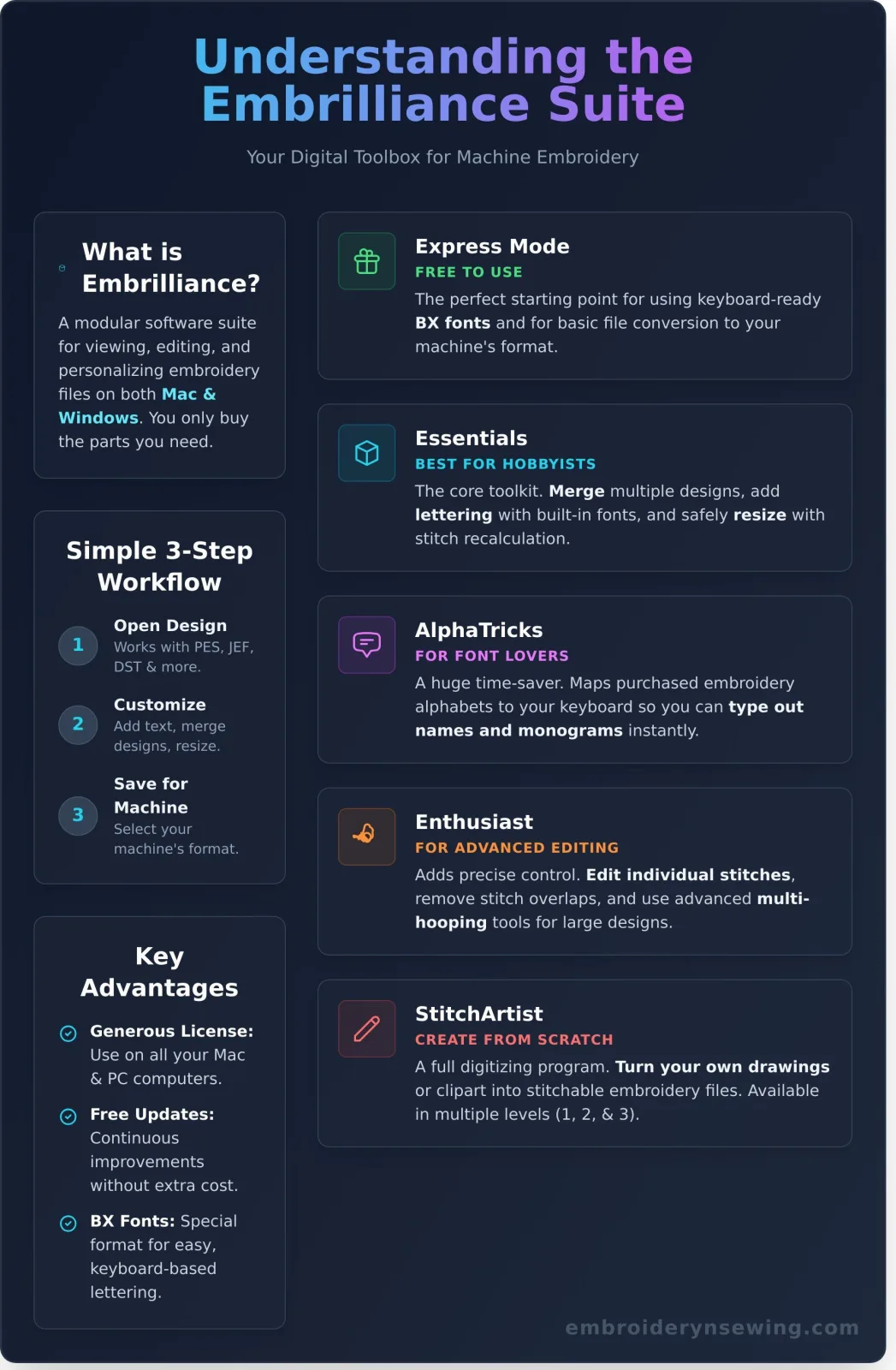
Think of Embrilliance as a digital toolbox for your embroidery files. Before you send a design to your machine, this software lets you open it on your computer to view, edit, and personalize it. Unlike many machine-specific programs, Embrilliance works on both Mac and Windows computers, making it accessible to everyone. One of its best features is its modular design; you only need to buy the specific tools (or "modules") you actually need, allowing you to build your software suite as your skills grow.
### Why You Need Software for Your Embroidery Designs
While your embroidery machine has some built-in capabilities, dedicated software unlocks a new level of creativity. It allows you to perform essential tasks that your machine can't, such as combining a purchased sports logo with a child's name, safely resizing a design to fit your hoop without distorting the stitches, or changing the thread colors in a design to preview a new look before you ever start stitching. It's also a crucial tool for converting design files into the specific format your machine requires.
Is Embrilliance Free? Understanding Express Mode
Yes and no. Embrilliance offers a completely free, basic version called "Express Mode." You can download and use it forever without paying. This mode is primarily designed for one key purpose: using special, keyboard-mappable embroidery fonts known as BX files. It also allows you to open design files and save them in your machine's format. However, most of the powerful editing features, like resizing and merging designs, require purchasing one of the paid modules.
## The Different Embrilliance Programs Explained
Embrilliance is sold in different parts, which can be confusing at first. This à la carte approach is actually a benefit, as you don't have to pay for advanced features you'll never use. Let's break down the main programs that most embroiderers are interested in.
### Embrilliance Essentials: The Perfect Starting Point
This is the most popular module and the best place to start for any hobbyist. Essentials gives you all the core tools you need to manipulate existing embroidery designs. It lets you merge multiple designs, add lettering with several high-quality built-in fonts, and, most importantly, resize designs safely with automatic stitch recalculation. If your goal is to personalize designs you've purchased, Essentials is the perfect tool for the job.
AlphaTricks: For Serious Font Lovers
If you love collecting and using embroidery fonts, AlphaTricks is a game-changer. This module allows you to take purchased embroidery alphabets and "map" them to your computer keyboard. Instead of importing and placing each letter individually, you can simply type out names, phrases, and monograms just like you would in a word processor. It's a massive time-saver for anyone who does a lot of personalization.
Enthusiast: For More Advanced Editing
Enthusiast is an add-on that expands the capabilities of Essentials, giving you more precise control over your designs. It allows you to edit individual stitches, remove hidden stitches that overlap in combined designs to reduce bulk, and use advanced tools for splitting large designs to fit in smaller hoops (multi-hooping). It's for the user who wants to go beyond basic editing.
StitchArtist: Create Your Own Designs from Scratch
This module is for those who want to create their own embroidery designs from a blank canvas. StitchArtist is a full digitizing program that lets you turn your own drawings or clipart into stitchable embroidery files. It is sold in different levels (Level 1, 2, and 3), from basic tools for beginners to professional-grade features for creating complex, intricate designs.
## How to Use Embrilliance with Your Embroidery Designs
Using Embrilliance to customize a design is a straightforward process. Here's a simple workflow to show you how easy it is to take a purchased design and make it uniquely yours, from download to stitch-out.
Step 1: Open Your Purchased Design File
First, download your new design from a site like Embroidery n Sewing. Embrilliance is great because it can open almost any embroidery file type, including common formats like PES, JEF, DST, HUS, and more. Simply open the file, and your design will appear on the screen inside a virtual hoop that matches your machine's.
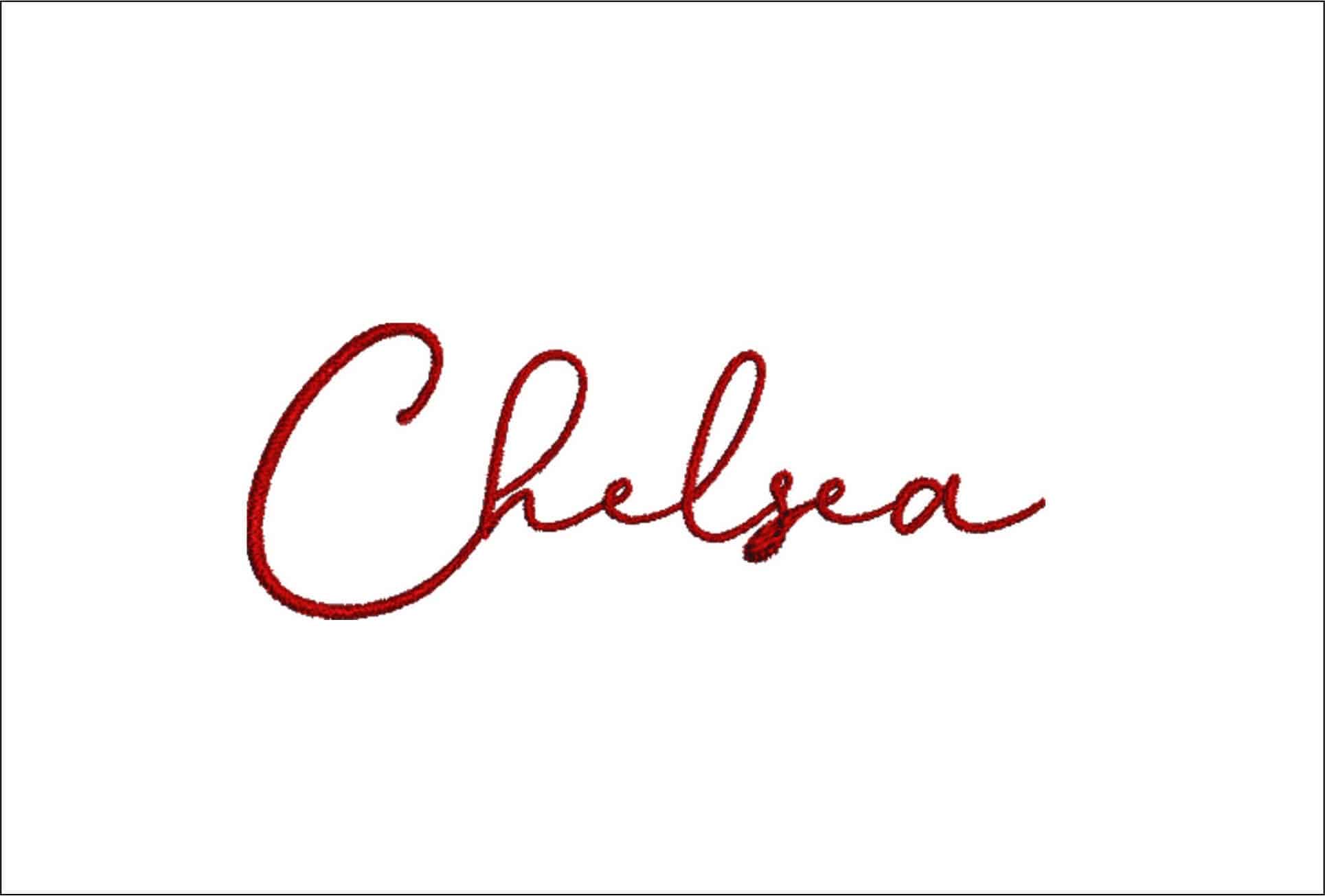
Now for the fun part. To add a name, click the "A" button to create a lettering object and type your text using one of the built-in fonts. You can also merge in another design file, like a small logo or a decorative element, to combine it with your main design. From there, you can easily click and drag the elements to move, rotate, and arrange them exactly how you want. To make your project truly special, you can Find the perfect font or design to add that personal touch.
Step 3: Save the File for Your Machine
Once you are happy with your new, customized creation, it's time to save it for your machine. Go to "File" > "Save As" and select your machine's specific format from the dropdown list (for example, PES for Brother or JEF for Janome). Save the new file directly to your USB stick, and your personalized design is now ready to be taken to your machine and stitched out!
Frequently Asked Questions (FAQs)
Which version of Embrilliance should I buy first?
For almost all beginners and hobbyists, Embrilliance Essentials is the best starting point. It provides all the key features you need to edit and personalize pre-made designs without overwhelming you with advanced tools.
Is Embrilliance compatible with my Brother/Janome/Singer machine?
Yes. Embrilliance is compatible with virtually all home embroidery machines because it can save files in all major formats, including PES, DST, JEF, HUS, VIP, VP3, and many others.
Can Embrilliance automatically turn a JPG into an embroidery design?
No, not with the basic modules. The process of converting an image file (like a JPG) into a stitch file is called digitizing. This requires the specialized StitchArtist module, which gives you the tools to manually trace and create the stitches for the design. This concept is similar to how businesses often need custom software solutions for their unique challenges; you can learn more about that process.
What is a BX font and why is it special?
A BX font is a special format that allows you to install an embroidery alphabet into the Embrilliance software so you can type with it from your keyboard. This is much faster than importing and aligning individual letter files.
Do I have to pay for Embrilliance software updates?
Updates within a software version are typically free. Embrilliance is known for its excellent support and continuous improvements. You only need to pay if you are upgrading to a brand new major version or adding a new module to your collection.
Can I use Embrilliance on more than one computer?
Yes. Embrilliance has a very user-friendly license that allows you to install the software on all of the computers you own, including both Macs and PCs, without needing to purchase additional licenses.
Now that you understand how powerful and easy-to-use Embrilliance can be, you're ready to take your embroidery projects to the next level-whether that means unlocking new creative possibilities or even starting a small business. If you're considering selling your work, it's wise to learn more about AutoSEO to ensure customers can find your unique creations online. Ready to start customizing? Explore thousands of high-quality embroidery designs! You'll find a huge collection of sports logos, cartoon characters, and holiday patterns, all available for instant download and perfectly suited for personalization with Embrilliance.


