# Mustang Embroidery Design: Choose the Right Digital File for Your Project
What if the Mustang design you like is too detailed for your cap or saved in a format your machine can’t use? Choosing a mustang embroidery design means looking beyond the theme. The artwork also needs to suit your project, fit the intended embroidery area, and match your machine’s requirements.
Before downloading, compare the design details with the item you plan to stitch. This guide explains how to narrow your options for a personal project or customer order, what to review in the file information, and how placement and detail can affect the finished look on garments, hats, and other items. Embroidery n Sewing’s searchable digital catalog includes automotive themes and instant downloads, so you can explore ideas and get started on a project.
Key Takeaways
Table of Contents
Mustang Embroidery Design Ideas: Start with the Project
A Mustang motif can personalize clothing, gifts, accessories, and craft projects. Before choosing a mustang embroidery design, decide where it will go. A larger garment panel can give detailed artwork room to show, while a pocket or small accessory panel may call for a compact, simpler motif. Starting with the item helps you narrow the options before comparing designs.
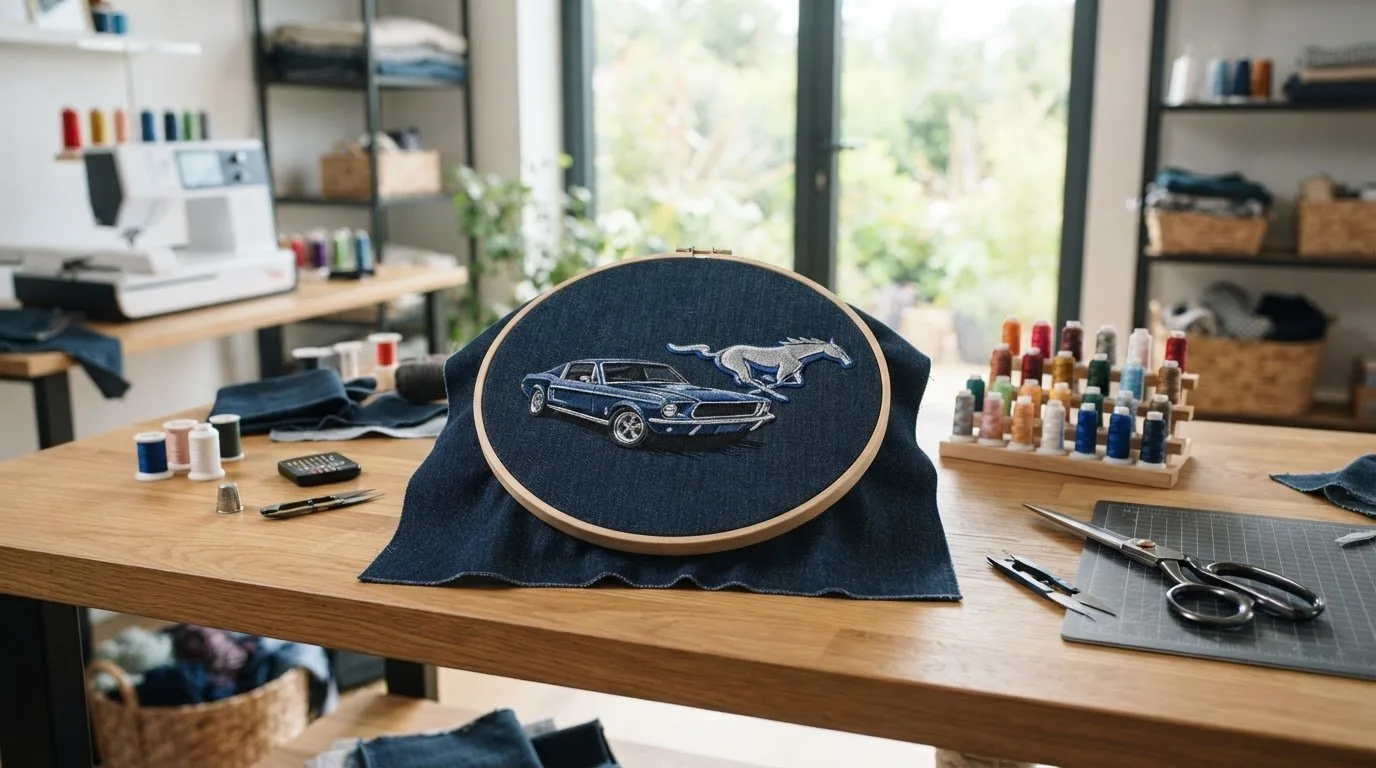
A digital machine embroidery design is artwork prepared as stitch instructions for an embroidery machine. It’s a ready-to-use digital file, not simply a picture of a car. Look for artwork intended for machine stitching, then compare its size and detail with your project.
Match the Mustang Motif to the Look You Want
Think about the visual effect you want. A clear vehicle outline can stand out without filling the placement with fine details. More elaborate automotive artwork needs enough space for its features to remain distinct. For a gift, consider the recipient’s style. For something you’ll wear or display, choose a motif and placement that suit the item.
The Mustang’s history can also inspire your choice. If you’re drawn to a particular era or want background on the car’s evolution, explore the History of the Ford Mustang as you shape your project idea. Then browse the embroidery design categories for automotive themes and ideas for your chosen item.
Keep the placement in mind as you browse. Artwork that looks striking across a larger garment area may feel crowded on a small accessory. Choose a design whose scale and level of detail suit the available space. Avoid assuming that a design can simply be resized to fit: the dimensions listed for the file are an important part of choosing a suitable option.
Choose a Mustang Embroidery File That Fits Your Machine and Item
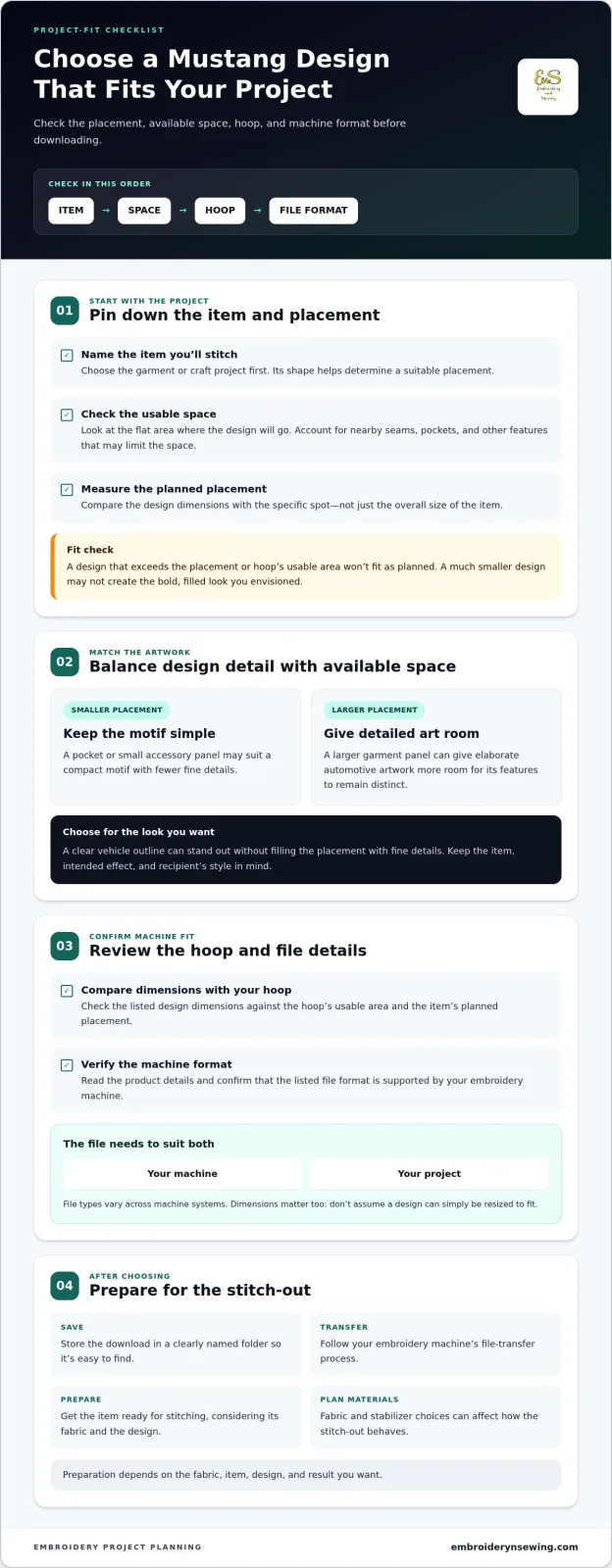
A design can match your theme and still be a poor fit if its dimensions or file format don’t suit your setup. Use this selection order before downloading a mustang embroidery design:
-
Identify the item. Decide which garment or project you’ll stitch and choose a placement that works with its shape. Check for nearby seams, pockets, or other features that could limit the space.
-
Measure the usable embroidery area. Consider the flat space at the planned placement and the hoop you intend to use.
-
Review machine compatibility. Compare the format listed in the design details with the formats your embroidery machine supports.
The design’s dimensions and file format need to suit both your embroidery machine and your project. Compare the listed dimensions with the hoop’s usable area and the garment placement. A design that exceeds either won’t fit as planned; one that is much smaller than the available space may look different from the bold, filled placement you envisioned.
Check Hoop Fit, Placement, and File Compatibility
Compare the design dimensions with both your hoop and the specific spot where you plan to stitch, rather than relying on the overall size of the item. Then review the product details and confirm that the file format suits your machine. File types vary across machine systems. Understanding Embroidery File Formats offers broader context if you’re unfamiliar with the differences.
This quick review helps you focus on designs that suit your setup. For more project inspiration, browse digital embroidery designs and picture how each option could work with your item and planned placement.
![Mustang embroidery design]
Get from Digital Mustang Design to a Finished Stitch-Out
Once you’ve chosen a mustang embroidery design, a few organized steps can take it from the digital catalog to your project. Review the product details, save the download somewhere easy to find, and prepare the item with the planned stitch-out in mind.
-
Choose the design. Select artwork that suits your intended look, item, and placement.
-
Review its details. Read the information provided with the file, including its format and dimensions.
-
Download and save it. Store the file in a clearly named folder so you can find it when you’re ready to stitch.
-
Prepare the project. Follow your machine’s file-transfer process and get the item ready for stitching.
Preparation depends on the fabric, item, and design. Fabric and stabilizer choices can affect how the stitch-out behaves, so consider the material and the result you want as you plan. The preparation that suits one garment or craft project may not suit another.
Make the Download Work for Your Creative Plan
Organize downloaded designs by theme or project, and follow your embroidery machine’s instructions for transferring files. This makes it easier to find the design when you’re ready to stitch, especially when you’re planning several projects or saving ideas for later.
A searchable digital catalog makes it convenient to explore automotive themes, compare options, and turn inspiration into a project plan. Browse the digital embroidery design marketplace to find a theme for your next item, then use the file details to guide your preparation. With the design saved and the project ready, you can focus on bringing your idea to life.
Choose a Design and Make It Your Own
Start with a motif that feels personal. A mustang embroidery design can add an automotive touch to something you’ll wear, give, or create. Your choice of artwork and placement helps make the finished piece your own.
When you’re ready for a fresh idea, explore digital designs across automotive, sports, seasonal, and other themes. A searchable selection helps you find a direction that fits your plans, and instant downloads let you get started on your project.
Browse digital embroidery designs from Embroidery n Sewing and find inspiration for your next stitch-out. Choose a theme, review the file details, and get your project underway.
Frequently Asked Questions
Is a Mustang embroidery design a physical patch?
No. A Mustang embroidery design is a digital file for machine stitching, not a finished patch delivered to you. Use the file to stitch the motif onto a suitable item, such as a jacket or bag. The design file itself is not a completed, ready-to-attach patch.
Can I use a downloaded Mustang design on items I sell?
That depends on the usage terms for the specific design. Before stitching a Mustang motif onto products for sale, read the file’s stated license or terms and confirm they cover your intended use. A download alone doesn’t explain whether or how the design may be used for commercial projects, so review those details before making items to sell.
What should I check before downloading a Mustang embroidery design?
Review the product details for the file format your machine accepts, the design dimensions, and any usage information. Consider the finished item too: a design planned for a tote panel may not suit a narrow sleeve or small pocket. Check that the placement and your machine setup work together before downloading so you can prepare the project with fewer surprises.