- Legal compliance with Qatar's Law No. 7 of 2002 regarding architectural copyright.
- Stabilization strategies for heavy jacket fabrics to eliminate fabric puckering.
- Technical machine settings for 2026 models to prevent birdnesting and thread breaks.
- Alignment secrets for perfectly placing the West Bay and Lusail tower silhouettes.
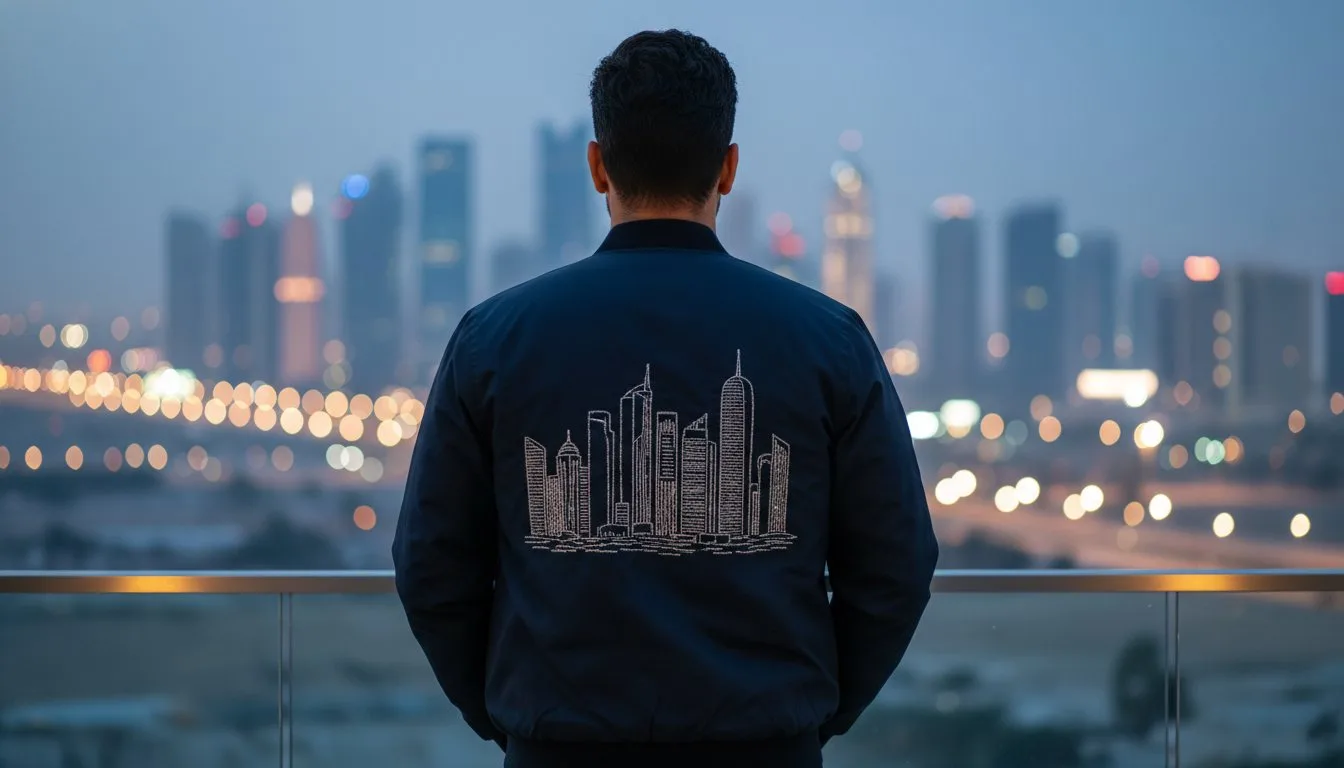
The most striking detail on a 2026 luxury garment isn't a logo; it's the intricate, high-density silhouette of the Doha skyline stretching across the back. You've likely felt the frustration when those sharp architectural points cause birdnesting or when heavy denim puckers under the weight of the West Bay towers. It's a common struggle for creators aiming for that high-end Middle Eastern aesthetic, but mastering Qatar skyline silhouette embroidery for jackets is easier than it looks with the right setup.
This guide helps you achieve a crisp, store-bought finish with professional precision and zero thread breaks. You'll learn how to navigate the legalities of Qatar's 2002 copyright protections for architectural works while selecting the best stabilizers for heavy fabrics. This article covers the specific settings needed for 2026 machines like the Brother PR1060W and the alignment secrets for a perfect skyline across the chest or back.
- Learn how selecting the right PES or DST file ensures your machine captures the sharp architectural edges of the Burj Doha and Aspire Tower.
- Master the specific hooping and stabilization techniques required for Qatar skyline silhouette embroidery for jackets to prevent fabric shifting on heavy materials.
- Discover the "drum-tight" hooping method and marking strategies that guarantee a perfectly centered horizon across the back of any jacket.
- Understand how professional underlay stitches eliminate common issues like birdnesting and misalignment during high-density tower stitching.
- Gain insights into why using locally-tested digital designs ensures compatibility with the latest 2026 machine models available in the Middle East.
Table of Contents
[- Executive Summary: Mastering the Qatar Skyline Silhouette](https://embroiderynsewing.com/articles/how-to-digitize-embroidery-designs-free) [- Pre-Production: Selecting the Right Digital Files and Stabilizers](https://embroiderynsewing.com/articles/quality-and-detailed-embroidery-designs-in-the-united-states)
- Step-by-Step: Customizing Your Jacket with the Doha Horizon
- Professional Finishing: Textures, Threads, and Troubleshooting
- Why Embroidery n Sewing is Your Best Local Partner in Doha
Executive Summary: Mastering the Qatar Skyline Silhouette
- High-density digitizing is required to capture the sharp edges of West Bay and Lusail towers.
- Selecting the correct file format (PES, DST, JEF) ensures your machine reads the silhouette paths correctly.
- Heavy-duty cut-away stabilizer is non-negotiable for maintaining the horizontal integrity of the Doha horizon.
- Placement is key: The back yoke or the center-back are the most stable areas for large skyline designs.
- Our digital files are pre-tested on 9 major machine brands to prevent thread bunching.
The complexity of the Doha skyline, featuring the iconic Burj Doha and the twisting towers of Lusail, requires a specialized approach to digitizing. If you don't use high-density paths, those architectural points look blunt instead of sharp. To get that store-bought finish, you need a digital file that accounts for the push and pull of heavy fabrics. Using the history and techniques of embroidery as a foundation, we've optimized these silhouettes to ensure every spire remains crisp. This is especially important for Qatar skyline silhouette embroidery for jackets, where the fabric weight can often distort the design if the stitch count isn't perfectly balanced.
Choosing the right file format is your next hurdle. Whether you're using a 2026 Brother PR1060W or a Janome Memory Craft 550E, your machine needs a clean road map. We provide files in PES, DST, and JEF formats because they're the gold standard for precision. Without the correct file, your machine might misinterpret the long horizontal lines of the skyline, leading to messy jumps and misalignment across the back of your garment.
Why the Doha Skyline is Perfect for Jackets
Doha's skyline is a symbol of rapid growth and modern elegance. Placing this silhouette across a denim or leather jacket creates a striking contrast between rugged utility and high-end architectural detail. It taps into the 2026 trend of cultural pride, where heritage meets contemporary fashion. Since the Middle East sustainable fashion market is growing at a CAGR of 24.58%, many creators are choosing to upcycle existing jackets with these local motifs to combine luxury with eco-conscious choices. The horizontal nature of the West Bay horizon naturally complements the lines of a jacket yoke, making it look like a custom designer piece.
Key Takeaways for a Flawless Stitch-out
Path optimization is the secret to a smooth stitch; it means the machine follows a logical route to minimize jumps and thread breaks. For Qatar skyline silhouette embroidery for jackets, always use a sharp 90/14 needle to pierce through thick layers without deflecting. A locally-digitized file from Embroidery n Sewing saves you hours of troubleshooting because we've already handled the density adjustments for the specific 2026 machine models sold in the Qatar market. This ensures your project finishes with professional precision every time.
Pre-Production: Selecting the Right Digital Files and Stabilizers
- Identify the specific architectural landmarks included, such as the Burj Doha and Aspire Tower.
- Choose a file that matches your machine’s maximum hoop size to avoid distortion from resizing.
- Avoid tear-away stabilizers; they can't handle the high-density needle penetrations of a skyline silhouette.
- Use professional-grade cut-away stabilizers like Madeira SuperStrong or Gunold Stiff, which are readily available in the Qatar market.
Before you hoop your garment, you've got to ensure your digital foundation is solid. The Doha horizon isn't just a flat line; it's a complex array of geometry featuring the iconic Burj Doha and the soaring Aspire Tower. When you're working on Qatar skyline silhouette embroidery for jackets, the density of these landmarks creates a lot of "needle stress" on the fabric. If your digital file isn't digitized specifically for high-stitch counts, those sharp architectural points will turn into a messy knot of thread.
One common mistake is trying to resize a small file to fit the back of a large denim jacket. If you increase a design's size by more than 10% or 15% without recalculating the stitch density, you'll end up with gaps or "grinning" where the fabric shows through. It's always better to start with a file digitized for your specific hoop size. For those using the 2026 Brother PR1060W, which is a favorite in Middle Eastern shops, selecting a file that utilizes the full 240mm x 360mm hoop area ensures the skyline looks majestic rather than cramped.
Matching File Formats to Your Machine
Your machine's "brain" needs to read the skyline paths without confusion. While we offer designs in five standard formats, knowing which one to pick is vital. PES is the go-to for Brother machines, while JEF is standard for Janome users. However, many pros prefer the DST (Tajima) format for complex silhouettes because it's a "stitch-only" format that often handles jump stitches between towers more cleanly. If you're unsure which to choose, you can [check our guide to digital patterns] for a deeper dive into technical compatibility.
The Secret to Stability on Heavy Fabrics
Jackets require a completely different stabilization strategy than a standard t-shirt. Since the Middle East sustainable fashion market is projected to reach USD 5,138.12 million by 2033, many creators are upcycling heavy vintage denim or organic cotton canvases. These fabrics are "thirsty" for support. Tear-away stabilizers fail here because the high stitch count of the towers acts like a perforation; the design will literally punch its way out of the hoop. Instead, use the "sandwich" method: place a heavy-duty cut-away stabilizer on the bottom and a thin water-soluble topper on the top to keep the stitches from sinking into the fabric grain. If you're ready to start your next project, you can explore our collection of machine embroidery designs to find the perfect Doha horizon for your style.

Step-by-Step: Customizing Your Jacket with the Doha Horizon
- Start by marking the center point of the jacket back using a disappearing ink pen.
- Hoop the jacket with the stabilizer, ensuring the fabric is drum-tight but not stretched.
- Perform a "trace" on your machine to ensure the skyline doesn’t hit the jacket seams or collar.
- Monitor the first 500 stitches to ensure the fill pattern is laying flat against the heavy weave.
Once you've selected your digital file, it's time to move to the machine. Unlike a flat t-shirt, a jacket has varied topography with seams, pockets, and collars that can snag a moving hoop. When preparing your Qatar skyline silhouette embroidery for jackets, the first step is always precision marking. Use a ruler to find the exact horizontal center between the armhole seams. A disappearing ink pen is your best friend here; it gives you a clear target without leaving a permanent mark on your expensive denim or leather.
Hooping is where most beginners struggle. You want the fabric to be drum-tight. If you can tap the fabric and it sounds like a snare drum, you're ready. However, don't pull the fabric so hard that you distort the weave. If you stretch the jacket while hooping, the design will "pucker" as soon as you release it from the machine. This is especially true for the long, horizontal Doha horizon, where even a 2mm shift can make the West Bay towers look crooked.
Before hitting the "start" button, always use the trace function. This is a standard feature on 2026 models like the Brother PR1060W or the Janome Memory Craft 550E. The machine will move the needle around the perimeter of the design area. Watch closely to ensure the needle doesn't get too close to the thick yoke seam or the collar. If the hoop hits a seam, it can cause a hoop slip, which ruins the alignment of the entire skyline. Stay close to the machine for the first 500 stitches to confirm the underlay is anchoring correctly to the heavy weave.
Positioning Your Design for Maximum Impact
Follow the "Yoke Rule" for a professional look. This means placing the top of the tallest tower, usually the Aspire Tower or a West Bay spire, about 1 to 2 inches below the horizontal yoke seam. This placement ensures the design sits naturally across the shoulder blades. If your jacket has a hood, check that the Lusail towers aren't hidden when the hood is down. Printing a paper template of your design is a great way to visualize this before you ever touch the hoop. It helps you see exactly how the 7x12 or 8x12 design fits the space.
Thread Selection and Tension Settings
For a truly luxurious finish, use high-sheen polyester thread. It provides a "night-time glow" effect that makes the Doha skyline pop against dark fabrics. Because jacket materials are thick, you'll want to slightly loosen your top tension. If the tension is too tight, the heavy thread count of the towers will pull the fabric inward, causing unsightly ripples. A standard 60-weight bobbin thread usually provides enough support for the high-density satin stitches used in our machine embroidery designs, keeping the finish flat and professional.
Professional Finishing: Textures, Threads, and Troubleshooting
- Our digitizing uses specific underlay stitches to create a stable foundation on heavy jacket fabrics.
- Hoop slip or poor stabilization are the primary reasons for design shifting during long horizontal runs.
- Metallic threads offer a striking look for the Doha skyline but require tension adjustments and a 90/14 Topstitch needle.
- A final cleanup of jump stitches between the West Bay towers ensures your jacket looks professional and store-bought.
The secret to a crisp finish for Qatar skyline silhouette embroidery for jackets lies in the invisible work beneath the surface. When you're stitching the intricate lattice of the Burj Doha or the sharp spire of the Aspire Tower, the machine is laying down thousands of stitches in a small area. Our digital files include a specialized grid underlay that binds the jacket's fibers together before the final silhouette is applied. This prevents the fabric from shifting and ensures the West Bay horizon stays perfectly level from start to finish.
If you notice your skyline is starting to "step" or look misaligned, you're likely experiencing hoop slip. This happens when the weight of a heavy denim or leather jacket pulls against the hoop during the rapid movement of a 2026 model like the Brother PR1060W. To fix this, ensure you're using a high-quality cut-away stabilizer. You might also consider the "float" technique if the jacket is too thick to hoop traditionally. For those looking to add a premium touch, metallic silver or gold threads can make the skyline glow. Just remember that metallic thread is more brittle; you'll need to slow your machine down to about 600 stitches per minute to avoid frequent breaks.
Managing High-Density Stitching in West Bay
High-density silhouettes require a careful stitch-to-fabric ratio. If the stitches are too close together, the needle will eventually strike a previous stitch, leading to a needle break or a birdnest. You can learn more about choosing proper embroidery stitches to ensure your design has depth without the bulk. When stitching the dense Lusail towers, always use a fresh needle. A dull needle will struggle to pierce the dense underlay and the jacket fabric, which often leads to the machine stalling on complex architectural details.
Preventing Fabric Puckering and Misalignment
Puckering is the enemy of a clean skyline. One effective way to avoid this is the "float" method, where you hoop only the stabilizer and then secure the jacket to it using a temporary spray adhesive or pins. This is particularly useful for leather jackets where hooping might leave permanent hoop burn. Once the embroidery is complete, always steam the design from the back. Never press the iron directly onto the thread on the front, as this can melt polyester fibers or dull the sheen of your hard work. If you're ready to start your next masterpiece, explore our digital embroidery designs to find the perfect Qatar-themed file for your project.
Why Embroidery n Sewing is Your Best Local Partner in Doha
- We are based in Lusail, giving us a deep, firsthand understanding of the local landmark aesthetic and architectural nuances.
- Every design is rigorously tested on the specific machine models sold in the Qatar market, such as the Brother PR1060W.
- Our commitment to high-quality ensures professional results for every project.
- Visit our Marina Tower location for direct consultations regarding our digital files and technical specifications.
Choosing a digital partner shouldn't feel like a gamble with an anonymous global marketplace. When you're working on Qatar skyline silhouette embroidery for jackets, you need a designer who knows the difference between the Burj Doha and a generic skyscraper. We live and work in Lusail; we see the West Bay horizon every day. This proximity allows us to capture the specific latticework and spires of the city with an accuracy that global services simply can't match. We don't just sell files; we provide digital blueprints that celebrate our local culture.
Technical reliability is where we truly stand out. Many hobbyists in Doha use high-end 2026 models like the Brother PR1060W or the Baby Lock Meridian 2. Because we use these exact machines for our test stitch-outs, we've already solved the tension and density issues that cause thread breaks on heavy jacket fabrics. This local testing means you won't waste expensive thread or ruin a high-quality denim jacket on a file that wasn't digitized for our specific regional hardware. If you're struggling with a complex layout, you can even stop by our office in Marina Tower to discuss the digital file's technical paths with us directly.
The Local Advantage in Digital Design
Doha's creative community is expanding rapidly, with the Middle East sustainable fashion market projected to grow at a CAGR of 24.58% through 2033. We're proud to support this growth by providing professional-grade digital assets that help local makers compete on a global scale. A local digitizer understands the "Modern Modesty" trends of 2026, ensuring that Qatar skyline silhouette embroidery for jackets fits perfectly within the contemporary cuts of high-end Middle Eastern fashion. We aren't just a shop; we're part of the fabric of the Qatar design scene.
Instant Downloads for Your Next Project
Creativity doesn't follow a 9-to-5 schedule. Our digital library is available 24/7, providing instant access to the Doha horizon in various sizes. Whether you need a subtle 4-inch chest logo or a massive 12-inch full-back silhouette, our files are ready when you are. Each download includes multiple formats like PES, DST, and JEF to ensure your machine can start stitching immediately. Browse our premium Qatar Skyline designs and start your jacket project today!
Bring the Doha Horizon to Your Wardrobe
You're now equipped to transform any denim or leather piece into a high-end tribute to the city's architecture. Success with Qatar skyline silhouette embroidery for jackets depends on that critical balance between heavy-duty cut-away stabilization and precision-digitized paths. By using the "sandwich" method and respecting the "Yoke Rule" for placement, you'll avoid the puckering and misalignment that often plague complex horizontal designs. These technical steps ensure your 2026 projects reflect the luxury and artisanal detail currently defining Middle Eastern fashion.
Don't settle for generic files that haven't been tested on the hardware sold in our local market. We've optimized every spire and lattice on our designs for 9 major machine brands, including the latest Brother and Janome models. With instant downloads available in 5 formats, you can begin your project immediately with the confidence of local Doha expertise. Shop Premium Qatar Skyline Embroidery Files Now and create a jacket that stands out in the Lusail Marina or West Bay. Your machine is ready to capture the beauty of the skyline; it's time to let the stitches fly.
Frequently Asked Questions
### What is the best file format for a Brother machine when embroidering the Qatar skyline?
PES is the standard format for Brother machines and the best choice for capturing the complex architecture of the West Bay towers. If you're using a 2026 model like the PR1060W, this format ensures the machine reads every spire and path correctly without errors. It carries all the necessary stitch data to keep the skyline's sharp edges crisp on heavy fabrics.
Can I embroider the Doha skyline silhouette on a leather jacket?
You can embroider on leather, but you shouldn't hoop it directly because of permanent "hoop burn" marks. Instead, use the "float" method where the leather is secured to a heavy-duty cut-away stabilizer with temporary adhesive. This is a popular technique for Qatar skyline silhouette embroidery for jackets made of premium materials. Use a dedicated leather needle to ensure the machine pierces the hide cleanly without skipping stitches.
What hoop size do I need for a full-back Qatar skyline design?
A full-back design typically requires an 8x12 inch (200x300mm) hoop or larger to make a statement. This size allows the Doha horizon to stretch across the shoulder blades for maximum visual impact. Always check your machine's maximum embroidery area before selecting a file size, as many 2026 home machines are capped at smaller dimensions like 5x7 or 6x10 inches.
How do I prevent the Aspire Tower part of the design from breaking the thread?
Use a sharp 90/14 Topstitch needle and reduce your machine speed to 600 stitches per minute. The Aspire Tower is a high-density point in the design, and heat buildup from high speeds can cause thread fraying or snapping. Lowering the top tension slightly also helps the thread glide through the dense layers of the jacket without the needle deflecting or the thread shredding.
Is a 7x12 hoop big enough for a standard denim jacket back?
A 7x12 inch hoop is large enough for a standard denim jacket, but it offers a more compact look than a full-width design. For a silhouette that spans the entire width of the yoke, an 8x12 hoop is often the professional preference. If your machine is limited to 7x12, ensure the digital file you choose is digitized for that exact area to avoid distortion during resizing.
Do I need a special needle for high-density skyline silhouettes?
Yes, a 90/14 or 100/16 sharp needle is essential for successful Qatar skyline silhouette embroidery for jackets. Standard embroidery needles are often too thin to penetrate heavy denim or duck canvas consistently. A larger needle eye reduces friction on the thread, which is vital when stitching the thousands of points required for a detailed architectural silhouette across a thick garment.
How do I get the digital file after I purchase it from Embroidery n Sewing?
You'll receive an instant download link immediately after your payment is confirmed on our website. This link is sent to your registered email address and is also accessible through your account dashboard 24/7. Our digital delivery system ensures you can start your creative project the moment inspiration strikes, with no waiting for manual file processing.
What happens if the design is too large for my embroidery machine?
If a design exceeds your machine's hoop limits, don't attempt to shrink it by more than 10% in your machine's settings. Resizing a high-density silhouette too much will cause the stitches to bunch together, which breaks needles and ruins the fabric. It's always better to purchase a file size that natively fits your machine's specifications for a professional, clean finish.